TryHackMe - John the Ripper - Basics
Write-up de la room John the Ripper Basics - compréhension et utilisation de l'outil de cracking de mots de passe
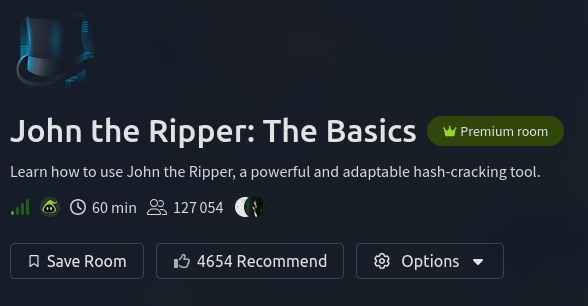
Informations sur la room
Room d’introduction aux bases du cracking de mots de passe et du bruteforce avec John the Ripper.
Lien : John The Ripper Basics
Objectifs d’apprentissage
Cette room couvre les techniques suivantes :
- Cracking de hash d’authentification Windows
- Cracking de hash
/etc/shadow - Cracking de fichiers ZIP protégés par mot de passe
- Cracking de fichiers RAR protégés par mot de passe
- Cracking de clés SSH privées
Solutions des tâches
Task 1 - Introduction
Se connecter à la machine via OpenVPN ou utiliser AttackBox.
Task 2 - Basic Terms
What is the most popular extended version of John the Ripper?
La room mentionne que la version la plus utilisée de John est Jumbo John, qui inclut de nombreux formats de hash supplémentaires.
Réponse : Jumbo john
Task 3 - Setting Up Your System
Which website’s breach was the rockyou.txt wordlist created from?
La wordlist rockyou.txt provient d’une fuite de données du site rockyou.com.
Réponse : rockyou.com
Task 4 - Cracking Basic Hashes
Utilisation de base de John
La syntaxe générale de John the Ripper est la suivante :
1
john [options] [file path]
Pour utiliser une wordlist spécifique :
1
john --wordlist=[path to wordlist] [path to file]
L’option --wordlist permet de spécifier une liste de mots que John va tester contre les hash du fichier cible.
Exemple d’utilisation :
1
john --wordlist=/usr/share/wordlists/rockyou.txt hash_to_crack.txt
Identification du type de hash
Parfois, John peut avoir des difficultés à détecter automatiquement le type de hash. Dans ce cas, on peut utiliser :
- Le site Hashes.com Hash Identifier
- L’outil hash-identifier
Pour télécharger hash-identifier :
1
wget https://gitlab.com/kalilinux/packages/hash-identifier/-/raw/kali/master/hash-id.py
Spécifier le format de hash
Pour accélérer le processus de cracking, il est recommandé de spécifier le format de hash si on le connaît :
1
john --format=[format] --wordlist=[path to wordlist] [path to file]
Exemple avec MD5 :
1
john --format=raw-md5 --wordlist=/usr/share/wordlists/rockyou.txt hash_to_crack.txt
What type of hash is hash1.txt?
Hash à analyser : 2e728dd31fb5949bc39cac5a9f066498
Après analyse sur Hashes.com, le hash correspond principalement à MD5.
Réponse : md5
What is the cracked value of hash1.txt?
Commande utilisée :
1
john --format=raw-md5 --wordlist=/usr/share/wordlists/rockyou.txt Task04/hash1.txt
Résultat :
1
2
3
4
5
6
7
Using default input encoding: UTF-8
Loaded 1 password hash (Raw-MD5 [MD5 256/256 AVX2 8x3])
Warning: no OpenMP support for this hash type, consider --fork=2
Press 'q' or Ctrl-C to abort, 'h' for help, almost any other key for status
biscuit          (?)
1g 0:00:00:00 DONE (2025-10-14 10:54) 50.00g/s 134400p/s 134400c/s 134400C/s skyblue..nugget
Session completed.
Réponse : biscuit
What type of hash is hash2.txt?
Hash à analyser : 1A732667F3917C0F4AA98BB13011B9090C6F8065
L’analyse indique qu’il s’agit de SHA1.
Réponse : SHA1
What is the cracked value of hash2.txt?
Le préfixe
raw-permet de spécifier à John de chercher parmi toutes les variantes de l’algorithme (SHA1, SHA-1, etc.).
Commande utilisée :
1
john --format=raw-SHA1 --wordlist=/usr/share/wordlists/rockyou.txt hash2.txt
Résultat :
1
2
3
4
5
6
7
Using default input encoding: UTF-8
Loaded 1 password hash (Raw-SHA1 [SHA1 256/256 AVX2 8x])
Warning: no OpenMP support for this hash type, consider --fork=2
Press 'q' or Ctrl-C to abort, 'h' for help, almost any other key for status
kangeroo         (?)
1g 0:00:00:00 DONE (2025-10-14 11:02) 33.33g/s 3904Kp/s 3904Kc/s 3904KC/s karakara..kalinda
Session completed.
Réponse : kangeroo
What type of hash is hash3.txt?
Hash à analyser : D7F4D3CCEE7ACD3DD7FAD3AC2BE2AAE9C44F4E9B7FB802D73136D4C53920140A
La longueur du hash (64 caractères hexadécimaux) indique SHA256.
Réponse : SHA256
What is the cracked value of hash3.txt?
Même méthode que précédemment avec le format approprié.
Réponse : microphone
What type of hash is hash4.txt?
Hash à analyser : c5a60cc6bbba781c601c5402755ae1044bbf45b78d1183cbf2ca1c865b6c792cf3c6b87791344986c8a832a0f9ca8d0b4afd3d9421a149d57075e1b4e93f90bf
L’analyse indique qu’il s’agit de Whirlpool (128 caractères hexadécimaux).
Réponse : Whirlpool
What is the cracked value of hash4.txt?
Pour Whirlpool, il ne faut pas utiliser le préfixe raw- car il n’existe qu’une seule variante :
1
john --format=whirlpool --wordlist=/usr/share/wordlists/rockyou.txt hash4.txt
Réponse : colossal
Task 5 - Cracking Windows Authentication Hashes
What do we need to set the –format flag to in order to crack this hash?
Les hash d’authentification Windows utilisent le format NTLM. En consultant la documentation de John sur PentestMonkey.net, on trouve que le format à utiliser est nt.
Réponse : nt
What is the cracked value of this password?
Commande utilisée :
1
john --format=nt --wordlist=/usr/share/wordlists/rockyou.txt ntlm.txt
Résultat :
1
2
3
4
5
6
7
Using default input encoding: UTF-8
Loaded 1 password hash (NT [MD4 256/256 AVX2 8x3])
Warning: no OpenMP support for this hash type, consider --fork=2
Press 'q' or Ctrl-C to abort, 'h' for help, almost any other key for status
mushroom         (?)
1g 0:00:00:00 DONE (2025-10-14 11:29) 50.00g/s 153600p/s 153600c/s 153600C/s skater1..dangerous
Session completed.
Réponse : mushroom
Task 6 - Cracking /etc/shadow Hashes
Le fichier
/etc/shadowsous Linux stocke les mots de passe hashés des utilisateurs ainsi que les politiques de mots de passe (expiration, etc.). Il n’est accessible qu’au superutilisateur root pour des raisons de sécurité.
Préparation des hash avec unshadow
Pour cracker des hash provenant de /etc/shadow, il faut d’abord utiliser l’outil unshadow :
1
unshadow PASSWORD-FILE SHADOW-FILE
Pour sauvegarder le résultat dans un fichier :
1
unshadow local_passwd local_shadow > unshadowed.txt
Les hash de /etc/shadow utilisent toujours le format sha512crypt.
What is the password for the root user?
Préparation du fichier :
1
unshadow local_passwd local_shadow > unshadowed.txt
Cracking avec John :
1
john --format=sha512crypt --wordlist=/usr/share/wordlists/rockyou.txt unshadowed.txt
Résultat :
1
2
3
4
5
6
7
8
Using default input encoding: UTF-8
Loaded 1 password hash (sha512crypt, crypt(3) $6$ [SHA512 256/256 AVX2 4x])
Cost 1 (iteration count) is 5000 for all loaded hashes
Will run 2 OpenMP threads
Press 'q' or Ctrl-C to abort, 'h' for help, almost any other key for status
1234             (root)
1g 0:00:00:02 DONE (2025-10-14 11:42) 0.4274g/s 547.0p/s 547.0c/s 547.0C/s kucing..poohbear1
Session completed.
Réponse : 1234
Task 7 - Single Crack Mode
Le mode Single Crack et le word mangling
John dispose d’un mode spécial appelé Single Crack qui effectue du word mangling, c’est-à-dire des variations automatiques sur les mots.
Exemple avec le nom d’utilisateur “Markus” :
- Variations numériques : Markus1, Markus2, Markus3
- Variations de casse : MArkus, MARkus, MARKus
- Ajout de caractères spéciaux : Markus!, Markus$, Markus*
Pour utiliser le mode Single Crack :
1
john --single --format=[format] [path to file]
What is Joker’s password?
Le nom d’utilisateur étant “Joker”, le mode Single Crack va tester des variations de ce nom.
Après identification du type de hash (MD5), on lance John :
1
john --format=raw-md5 hash07.txt
Résultat :
1
2
3
4
5
6
7
8
Using default input encoding: UTF-8
Loaded 1 password hash (Raw-MD5 [MD5 256/256 AVX2 8x3])
Warning: no OpenMP support for this hash type, consider --fork=2
Proceeding with single, rules:Single
Press 'q' or Ctrl-C to abort, 'h' for help, almost any other key for status
Jok3r            (?)
1g 0:00:00:01 DONE 2/3 (2025-10-14 11:58) 0.5650g/s 2635Kp/s 2635Kc/s 2635KC/s Aiocaralho..Topshape
Session completed.
Le mode Single Crack s’active automatiquement dans certains cas, il n’est pas toujours nécessaire de spécifier
--single.
Réponse : Jok3r
Task 8 - Custom Rules
Création de règles personnalisées
John permet de définir des règles personnalisées dans le fichier de configuration john.conf. La documentation complète est disponible sur Openwall.
Syntaxe pour utiliser une règle personnalisée :
1
john --wordlist=[path to wordlist] --rule=RuleName [path to file]
What do custom rules allow us to exploit?
Les règles personnalisées permettent d’exploiter la prévisibilité de la complexité des mots de passe.
Réponse : Password complexity predictability
What rule would we use to add all capital letters to the end of the word?
Pour ajouter des lettres en fin de mot, on utilise Az. Pour spécifier des lettres majuscules (A-Z), on ajoute [A-Z].
Réponse : Az"[A-Z]"
What flag would we use to call a custom rule called THMRules?
Le flag pour appeler une règle personnalisée est --rule= suivi du nom de la règle.
Réponse : --rule=THMRules
Task 9 - Cracking Password Protected Zip Files
Utilisation de zip2john
Comme pour unshadow, il existe un outil spécifique pour extraire les hash des fichiers ZIP protégés :
1
zip2john zipfile.zip > zip_hash.txt
What is the password for the secure.zip file?
Extraction du hash :
1
zip2john secure.zip > zip_hash.txt
Sortie :
1
ver 1.0 efh 5455 efh 7875 secure.zip/zippy/flag.txt PKZIP Encr: 2b chk, TS_chk, cmplen=38, decmplen=26, crc=849AB5A6 ts=B689 cs=b689 type=0
Cracking avec John :
1
john --wordlist=/usr/share/wordlists/rockyou.txt zip_hash.txt
Résultat :
1
2
3
4
5
6
7
Using default input encoding: UTF-8
Loaded 1 password hash (PKZIP [32/64])
Will run 2 OpenMP threads
Press 'q' or Ctrl-C to abort, 'h' for help, almost any other key for status
pass123          (secure.zip/zippy/flag.txt)
1g 0:00:00:00 DONE (2025-10-14 12:33) 50.00g/s 409600p/s 409600c/s 409600C/s newzealand..total90
Session completed.
Réponse : pass123
What is the contents of the flag inside the zip file?
Extraction du fichier ZIP avec le mot de passe trouvé :
1
unzip secure.zip
Le dossier zippy contient un fichier flag.txt. Lecture du contenu :
1
cat zippy/flag.txt
Réponse : THM{w3ll_d0n3_h4sh_r0y4l}
Task 10 - Cracking Password-Protected RAR Archives
Utilisation de rar2john
De la même manière que zip2john, il existe rar2john pour les archives RAR :
1
rar2john rarfile.rar > rar_hash.txt
Il est possible qu’une archive RAR contienne elle-même un fichier ZIP protégé, nécessitant plusieurs étapes de cracking successives.
What is the password for the secure.rar file?
Extraction du hash :
1
/opt/john/rar2john secure.rar > rar_hash.txt
Cracking avec John :
1
john --wordlist=/usr/share/wordlists/rockyou.txt rar_hash.txt
Résultat :
1
2
3
4
5
6
7
8
Using default input encoding: UTF-8
Loaded 1 password hash (RAR5 [PBKDF2-SHA256 256/256 AVX2 8x])
Cost 1 (iteration count) is 32768 for all loaded hashes
Will run 2 OpenMP threads
Press 'q' or Ctrl-C to abort, 'h' for help, almost any other key for status
password         (secure.rar)
1g 0:00:00:00 DONE (2025-10-14 12:44) 1.667g/s 106.7p/s 106.7c/s 106.7C/s 123456..charlie
Session completed.
Réponse : password
What are the contents of the flag inside the archive?
Pour extraire les fichiers d’une archive RAR, il faut utiliser l’option x :
1
unrar x secure.rar
La commande
unrarseule ne suffit pas, il faut spécifier l’optionxpour extraire les fichiers (voir le manuel avecman unrar).
Lecture du flag :
1
cat flag.txt
Réponse : THM{r4r_4rch1ve5_th15_t1m3}
Task 11 - Cracking SSH Keys with John
Utilisation de ssh2john
Pour cracker une clé SSH privée protégée par mot de passe :
1
ssh2john.py id_rsa > id_rsa_hash.txt
What is the SSH private key password?
Extraction du hash :
1
/opt/john/ssh2john.py id_rsa > ssh_hash.txt
Cracking avec John :
1
john --wordlist=/usr/share/wordlists/rockyou.txt ssh_hash.txt
Résultat :
1
2
3
4
5
6
7
8
9
Using default input encoding: UTF-8
Loaded 1 password hash (SSH, SSH private key [RSA/DSA/EC/OPENSSH 32/64])
Cost 1 (KDF/cipher [0=MD5/AES 1=MD5/3DES 2=Bcrypt/AES]) is 0 for all loaded hashes
Cost 2 (iteration count) is 1 for all loaded hashes
Will run 2 OpenMP threads
Press 'q' or Ctrl-C to abort, 'h' for help, almost any other key for status
mango            (id_rsa)
1g 0:00:00:00 DONE (2025-10-14 12:58) 50.00g/s 214400p/s 214400c/s 214400C/s praise..mango
Session completed.
Réponse : mango
Task 12 - Further Reading
Pour approfondir l’utilisation de John the Ripper, consulter la documentation officielle :
Wiki : OpenWall - John the Ripper
Room complétée